
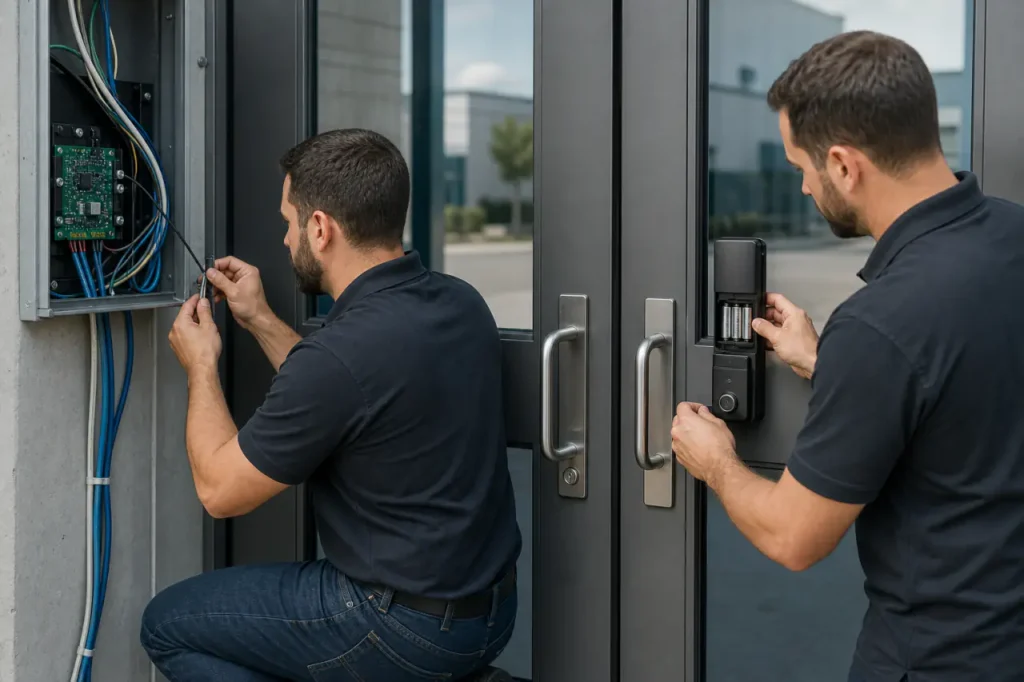
The decision between wired vs wireless access control starts with your building, not the hardware catalog. Before comparing reader specs or battery life, verify three facility realities that usually overrule everything else.
- Are you in a leased space, a historic structure, or a building you own outright?
- Do the security doors that matter most sit on the perimeter, or are they deep inside the floor plate?
- Can your facility tolerate a week of wall and ceiling disruption, or does every installation hour count against operating revenue?
Architectural Differences at the Door
The core difference isn’t how a credential is read – it’s how power and data reach the door. Wired wireless access control locks are often misunderstood at the infrastructure level, and that mistake leads to expensive change orders later.
Wired access control depends on physical cabling. A dedicated low-voltage cable – typically Cat5e, Cat6, or a composite security cable – runs from a central controller or PoE switch to each door reader and lock. That cable delivers constant power plus an always-on data channel.
The lock mechanism (often an electric strike or magnetic lock) is energized directly from the building’s power infrastructure, with no battery to replace at the door.
Wireless access control removes the door-level cable. A battery-powered lockset or wall-mounted reader communicates over Wi-Fi, Bluetooth, or a proprietary 900 MHz / 2.4 GHz protocol to a nearby access point or gateway.
The gateway bridges back to the network – sometimes over Ethernet, sometimes wirelessly.
Power comes from on-board batteries, not a central feed. The reader’s data link is wireless, and its lock actuator runs off those same batteries.
This architectural split changes every downstream decision: installation disruption, total cost of ownership, security resilience, and what happens when the building loses power.
Core Comparison: Security, Installation, and Maintenance
Wired systems demand high upfront capital. Wireless systems shift cost toward ongoing operational maintenance. The choice isn’t cheap vs. expensive – it’s capital budget vs. facility staffing load.
| Metric | Wired Access Control | Wireless Access Control |
|---|---|---|
| Upfront Cost | High – cable pulls, door coring, electrician labor, and often a dedicated access control panel | Moderate – lock hardware cost, plus gateway(s); no door cable |
| Installation Disruption | Significant – walls, ceilings, and door frames opened; may require after-hours work in occupied spaces | Minimal – surface-mounted locksets replace existing hardware; a few hours per door |
| Power Source | Centralized – powered from building mains, typically with UPS/generator backup | Decentralized – lithium or alkaline batteries at each door; gateway may be PoE |
| Data Stability | Very high – dedicated copper path, no interference; constant connection to controller | Dependent on RF environment; susceptible to dead spots, congestion, and jamming |
| Maintenance Burden | Low – once commissioned, physical connections rarely fail; lifecycle driven by hardware age | High – scheduled battery swaps across all doors; signal surveys; firmware and security patching |
The upfront gap is easy to see. The longer-term workforce demand is what catches facility directors off guard.
A 40-door wireless deployment can require 80-160 battery swaps per year, each requiring a technician visit and possibly a ladder. Compare that to a wired system where the only routine door-level maintenance might be a strike alignment adjustment every few years.
Installation Disruption and Upfront Costs
If the building is new construction with open ceilings, running PoE access control systems is a fraction of the retrofit pain. The cost-per-door for cabling drops dramatically when drywall isn’t up.
In an occupied office retrofit, the same cable pull can triple in labor. The cost increase comes from:
- Drywall patching and repainting around every penetration
- After-hours scheduling to avoid business disruption
- Routing cable around existing furniture and partition systems
Wireless locks avoid that entirely. The installer replaces the existing cylindrical or mortise lock body with a battery-powered electronic version. A gateway device, often ceiling-mounted and powered by PoE, covers 8-16 doors. The door itself sees no new cable.
For the project timeline, that trades weeks of construction for a few days of hardware swaps.
Reliability and Total Cost of Ownership (TCO)
Reliability splits into two domains: signal reliability and power reliability. Wired systems ignore RF conditions entirely. A door that’s five floors below grade in a concrete stairwell behaves exactly like the lobby reader.
Wireless systems require careful site surveys. Persistent dead zones can appear in elevator machine rooms, fire-rated stairwells, and areas with dense metal framing. A wireless site survey must verify:
- Signal strength at each door location, not just the hallway
- Interference from existing 2.4 GHz Wi-Fi infrastructure
- RF penetration through fire doors and concrete cores
- Gateway placement that avoids metal-shadowed corners
Power reliability is the larger TCO variable. A wired lock, backed by a UPS, stays functional through hours of grid outage.
A wireless lock’s behavior at low battery depends on its fail-safe configuration, but the common scenario is degraded performance or lockout risk if replacement schedules slip.
The true TCO of wireless includes not just the batteries, but the labor management system to track replacement cycles across a fleet. Key TCO line items for a wireless deployment typically include:
- Battery cost per door per year (heavily traffic-dependent)
- Scheduled technician hours for bulk battery swaps
- Software or spreadsheets to track replacement cycles
- Emergency service calls for doors that went offline due to dead batteries
Security Profiles: Tampering, Fail-Safes, and Signal Integrity
Wired configurations generally offer higher physical security and resilience against signal interference. For perimeter doors facing the street, server room entries, and emergency egress corridors, that matters a great deal.
Three threat vectors separate the two architectures:
- Physical tampering. A wired reader on a metal backplate with a weatherproof seal presents a hardened target. Wireless locksets, especially those with exposed battery compartments, are more accessible to a motivated attacker with a pry tool. The lock’s motor and gear train sit behind the same housing the battery slides into – a physical attack point that doesn’t exist on a wired electric strike buried in the door frame.
- RF interference and jamming. Wireless access control operates on shared spectrum. A portable jammer, a faulty microwave oven in the breakroom, or a dense Wi-Fi deployment can degrade or deny the link between the lock and its gateway. Wired systems have no over-the-air attack surface at the door – the data path is copper, not radio. For facilities subject to a physical security audit, this is often the deciding factor.
- Fail-safe door locks at wired doors can be powered from a centralized fire alarm interface, guaranteeing unlock on alarm regardless of local condition. A battery-powered fail-safe door lock must be carefully designed to fail open when voltage drops to a threshold, and that behavior must be tested under load. In a fire event, a lock that doesn’t reliably release because its battery is at 12% is a liability.
Encryption standards on modern wireless locks have closed the eavesdropping gap considerably. AES-128 or higher, combined with mutual authentication between lock and gateway, makes interception technically difficult. But signal integrity isn’t just about encryption – it’s about availability.
A lock that can’t hear the command because of interference is a security gap even if the data is perfectly encrypted.
Application Suitability: Choosing the Right Configuration
Your building’s architecture, lease status, and security tier should dictate your choice of hardware. The most expensive mistake is applying the same standard to every door without asking what each door protects.
Before you select a system for any door, verify these facility conditions:
- Is the building owner-occupied, leased, or historically listed?
- Which doors face the exterior perimeter or protect critical assets?
- What is the expected deployment lifespan – permanent or a 3-7 year lease window?
- Can your operations absorb wall and ceiling disruption for cable pulls?
| Facility Scenario | Recommended System | Primary Reason |
|---|---|---|
| New Construction, Owned Building | Wired (PoE) | Lowest incremental cabling cost during build; maximum stability for perimeter and high-security doors |
| Historic Building or Landmark Site | Wireless | Avoids drilling through masonry, ornate frames, and listed fabric; installation preserves the building’s architectural integrity |
| Leased Office Space (3-7 year term) | Wireless | Avoids structural alterations that require landlord approval and removal at lease end; low capex, portable hardware |
| Critical Infrastructure / Data Center | Wired, with select wireless interior | Perimeter and server room doors demand constant power and zero RF risk; interior admin doors can be wireless for flexibility |
| High-Turnover Interior Doors (e.g., coworking, flex space) | Wireless | Rapid reconfiguration without recabling; credential changes handled in software; supports frequent office layout changes |
For historic buildings, wireless isn’t just easier – it’s often the only option that satisfies the local heritage authority. For leased spaces, the landlord’s consent for cable penetrations can stall a project for months. Wireless removes that dependency.
But if you own the building and the walls aren’t yet sealed, skipping cable sacrifices long-term security. A short-term saving may look less attractive five years later.
The Hybrid Approach: Best of Both Worlds
Most large-scale facilities deploy a hybrid architecture to balance robust perimeter door security with budget efficiency.
The rule is simple: hardwire any door that faces the outside, protects high-value assets, or serves as a critical egress point, and use wireless for everything inside that doesn’t meet those criteria.
A typical hybrid layout divides doors into two tiers:
- Wired for: exterior doors, loading dock roll-ups, IT/server rooms, cash-handling spaces, and critical egress corridors.
- Wireless for: interior offices, meeting rooms, break areas, coworking zones, and amenity spaces.
Those wired doors get constant power, central fire alarm integration, and immune-to-jamming data paths. Wireless interior doors receive over-the-air credential updates and scheduling, with no new cabling.
A single cloud-based access control platform manages both device types under one interface, so the security team sees a unified event log from a single pane of glass.
This scalable access control model also lets you phase the deployment. An organization might start with wireless interior locks for hot-desking access, then add wired perimeter doors later when renovation budget is approved.
The head-end software must support a mixed fleet without requiring multiple databases or operator consoles.
Request a Custom Facility Access Audit
The right access control architecture depends entirely on your building’s footprint, daily traffic patterns, and security compliance needs.
A spec sheet comparison gets you started, but a site walk that maps cable paths, measures RF interference, and identifies fire alarm integration points produces an accurate hardware plan and a realistic total cost of ownership forecast.
We work with commercial integrators and facility directors to assess door-by-door requirements and recommend hardware configurations that balance security, installation reality, and long-term maintenance cost.
If you are comparing integrated access control systems for a new project or a retrofit, our engineering team can help you review the door schedule, identify where wired makes sense, and where battery-free or power-efficient wireless locks can cut disruption without lowering security.
Reach out to discuss a tailored facility access audit and hardware plan.



