
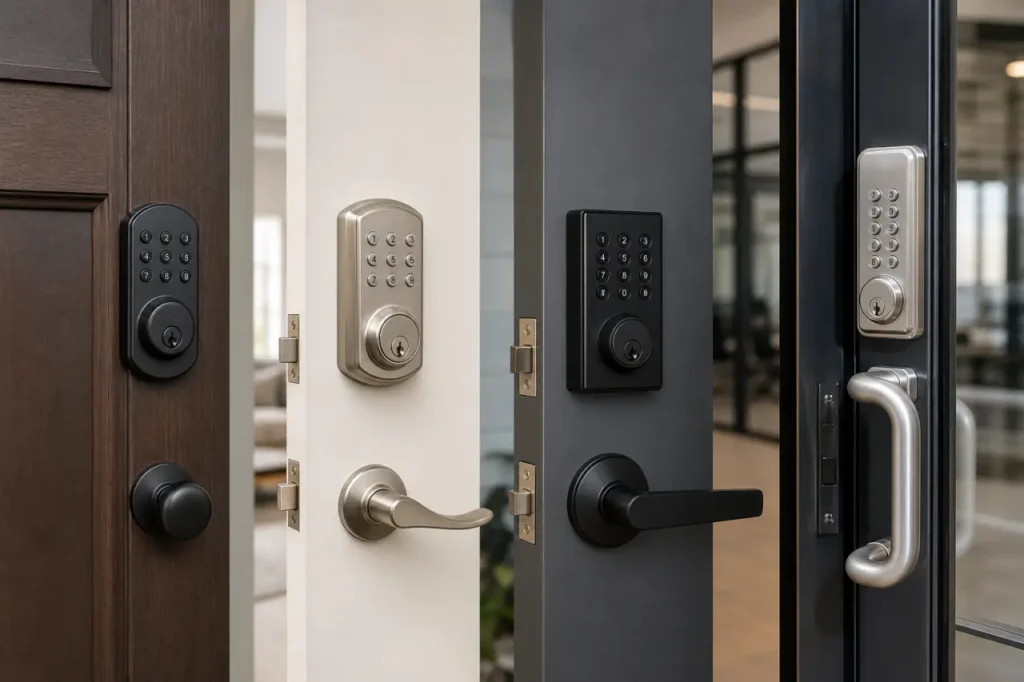
Choosing keypad door locks comes down to two numbers: daily traffic and the ANSI grade your door demands. Residential smart deadbolts deliver keyless convenience for a handful of entries per day.
Commercial push-button hardware survives hundreds of cycles without failing. Match the lock to the door’s real workload, not just its feature list.
Types of Keypad Door Locks
The right lock starts with the door type. You’re usually replacing an existing deadbolt, upgrading a lever set, or securing a high-traffic commercial opening. Each scenario points to a different product category.
Electronic Deadbolts
Electronic deadbolts replace standard single-cylinder deadbolts on residential front doors and many office doors. They fit a 2-1/8-inch cross bore and a 1-1/2-inch edge bore. Most models combine a keypad with a physical key override for backup entry.
- Ideal for: home entry doors, apartments, small office private entries
- Access: PIN code, key, optional smartphone
- Typical battery life: 6-12 months with 4 AA batteries (standalone); 3-6 months with built-in Wi-Fi
Keypad Levers and Knobs
Keypad levers suit interior residential doors where a deadbolt isn’t practical, or standard commercial office doors. They’re lighter-duty than deadbolts but convenient for storerooms, private offices, and shared amenity doors where you want to eliminate physical keys.
- Ideal for: office interiors, home offices, basement doors, shared common areas
- Access: PIN code, often with mechanical key override
- Note: Verify ADA compliance and lever-handing requirements for commercial spaces
Commercial Push-Button and Panic Hardware
Heavy-traffic doors demand components built for abuse. Commercial push-button locks handle 500-1,000 cycles per day. Many models integrate with panic bar compatible locks or narrow-stile aluminum doors, a direct fit for storefronts, school corridors, and warehouse exits.
- Ideal for: retail storefronts, institutional buildings, distribution centers
- Access: PIN code, key fob, card, or network credential, often with audit trail
- Durability: Look for ANSI/BHMA Grade 1 rating and cylindrical or mortise case design
Residential Smart Locks vs. Commercial Keypad Locks
Residential locks optimize for app-based living and aesthetic finishes. Commercial hardware optimizes for mechanical cycle life and multi-user management. The difference shows in the spec sheet long before installation.
| Feature | Residential Smart Keypads | Commercial Keypad Locks |
|---|---|---|
| Daily traffic rating | 10-30 lock/unlock cycles | 200-1,000+ cycles |
| Primary access method | Wi-Fi/Bluetooth app, PIN code | PIN code, fob, card, network credential |
| Battery life (typical) | 3-8 months (Wi-Fi models) | 12-24 months (centralized power or large battery packs) |
| Door compatibility | Standard residential deadbolt prep | Cylindrical, mortise, or panic bar prep |
| Average cost (hardware only) | $60 – $300 | $250 – $1,200+ |
| Certification priority | IP rating, BHMA Grade 2 | ANSI/BHMA Grade 1, UL fire rating |
Why Commercial Doors Demand Higher Cycle Ratings
The real risk is putting a Grade 3 smart deadbolt on a door that sees 400 cycles a day. Even when the purchase price looks attractive, the hidden cost of undersized hardware adds up fast.
- Lock mechanism failure after weeks, not years
- Warranty void on residential locks installed in high-traffic settings
- Security gaps during business hours when the lock jams
- Need for wider door prep and professional rework
Core Features to Evaluate Before Buying
Power Source and Battery Backup
Most keypad locks run on 4 AA batteries. The critical spec isn’t the battery size but whether the lock has a low-battery indicator and an emergency power terminal. Wi-Fi radios drain batteries faster.
Key power considerations:
- Standalone keyless entry system can stretch battery life past 12 months; embedded Wi-Fi often needs replacement every 3-5 months
- Electronic door lock battery life drops in cold weather – alkaline performance degrades below freezing
- Look for a 9V emergency terminal on the exterior so you can jump-start a dead lock
- A low-battery warning should give at least 30 days of remaining access before failure
Temporary Access Codes and User Limits
Even one guest code changes how you manage the lock. A residential user may assign a cleaner a time-restricted code. A commercial property might need 50-200 unique user codes for staff.
Verify these capabilities before ordering:
- Maximum code capacity – some locks store only 10 codes; others 250+
- Code type support: one-time, recurring, time-windowed, or permanent
- Programming method – at the keypad only, or via app for remote deletion
- User audit trail (especially for commercial turnover management)
Weather Resistance and IP Ratings
For exterior doors, look beyond the marketing claim “weather-resistant.” An IP54 rating means protection against dust and splashing water – enough for a covered porch. An IP65 rating means the keypad survives direct rain and dust ingress.
Additional environmental factors:
- Temperature range: keypad should function from -20°F to 130°F without display lag or battery failure
- UV exposure on dark metal doors can warp plastic keypad housings
- Weather resistant keypads often include gaskets and conformal-coated circuit boards
- Check if the lock manufacturer specifies an operating humidity range
ANSI/BHMA Grading: How to Measure Lock Durability
ANSI/BHMA grades translate cycle count, torque resistance, and door slam endurance into three simple tiers. Ignore the grade, and you risk a lock that fails the first week it faces real traffic.
- Grade 1 (Heavy-duty commercial): 1,000,000 open/close cycles, high resistance to prying and impact. Required for high-traffic commercial exterior doors.
- Grade 2 (Heavy-duty residential / light commercial): 400,000 cycles, adequate for most exterior home doors and moderate office use.
- Grade 3 (Standard residential): 200,000 cycles. Acceptable for interior doors and secondary entries; not suitable for exterior doors that demand real security.
How to Confirm Grade Claims
ANSI grade deadbolts also affect insurance requirements: some commercial policies mandate Grade 1 hardware on all perimeter doors. When comparing quotes, don’t accept a grade sticker at face value.
- Ask for the test report from an accredited lab (BHMA-certified)
- Verify cycle count, torque, and bolt force ratings
- Check if the certification covers the full lock assembly, not just the cylinder
- For UL fire-rated doors, confirm the lock matches the door’s fire label
Connectivity Options: Standalone vs. Smart Systems
Standalone Keypads
Maximum battery life, zero network dependency. All programming happens at the keypad. Ideal for rental properties and commercial doors that need one master code.
- Battery life: 12-24 months on 4 AA batteries
- No app, no Wi-Fi, no signal range issues
- Best for: single-family rentals, storage closets, perimeter gates that don’t need remote changes
Smart and Networked Systems
Adding a radio gives you remote management and audit trails, but it introduces a power draw and a potential failure point.
- Bluetooth only: low power, phone-as-key within 10-15 feet. Used in short-term rentals where guests download an app.
- Built-in Wi-Fi: remote lock/unlock and real-time alerts. Eats batteries quickly. Requires strong router signal near the door – metal-framed entries often block it.
- Z-Wave/Zigbee: longer range, lower power than Wi-Fi. Integrates into multi-device commercial networks without relying on consumer routers.
Z-Wave door hardware or proprietary wireless networks allow centralized management and time-zone restrictions across multiple doors. If you need audit trails or granular access schedules, skip standalone keypads and move to a networked solution.
Installation Requirements and Next Steps
Pre-Installation Door Measurements
Most residential keypad locks fit standard door prep: a 2-1/8-inch cross bore, 2-3/4 or 2-3/8-inch backset, and 1-3/4-inch thick door. The install is a screwdriver job under 20 minutes.
Before you order, verify these specs on your door:
- Backset: measure from edge to center of bore (typically 2-3/8″ or 2-3/4″)
- Cross bore diameter: should be exactly 2-1/8″
- Door thickness: must match lock’s minimum spec – metal-edged or glass doors often require special models
- Strike plate area: ensure there’s solid wood for anchoring a reinforced strike
When Professional Help Is Essential
Commercial locks often require door modification, a dedicated power supply, or a reinforced strike plate – especially for panic bar retrofits. A wrong assumption about door prep can add days to the project.
For multi-door deployments or storefronts, consult a professional locksmith to avoid misordered hardware that sits in a box.
A smart keypad deadbolt can replace a standard deadbolt in minutes, but the door’s real condition determines whether the lock will hold. Start with the door; the lock follows.
Frequently Asked Questions
Do keypad door locks work if the power or Wi-Fi goes out?
Yes. Keypad locks run on internal batteries, not mains power. If Wi-Fi drops, remote app control stops, but the keypad continues to accept PIN codes.
All residential models and most commercial locks retain a physical key override or an external battery terminal for emergency 9V power.
Are electronic door locks secure enough for exterior doors?
Yes, provided they carry an ANSI/BHMA Grade 2 or 1 rating. Many electronic locks lack a keyhole, which eliminates traditional lock picking and bumping. The primary vulnerability shifts to cyber-attacks on cloud-connected models, not to physical bypass.
How do you install an electronic door lock on a standard front door?
For a standard residential door with a 2-1/8-inch cross bore and 2-3/8- or 2-3/4-inch backset, installation requires only a Phillips screwdriver. Align the exterior keypad assembly, thread the cable through the door, and secure the interior mounting plate.
Attach the interior escutcheon, install batteries, and test the lock. Most manufacturers include step-by-step videos; the process typically takes under 30 minutes.



