
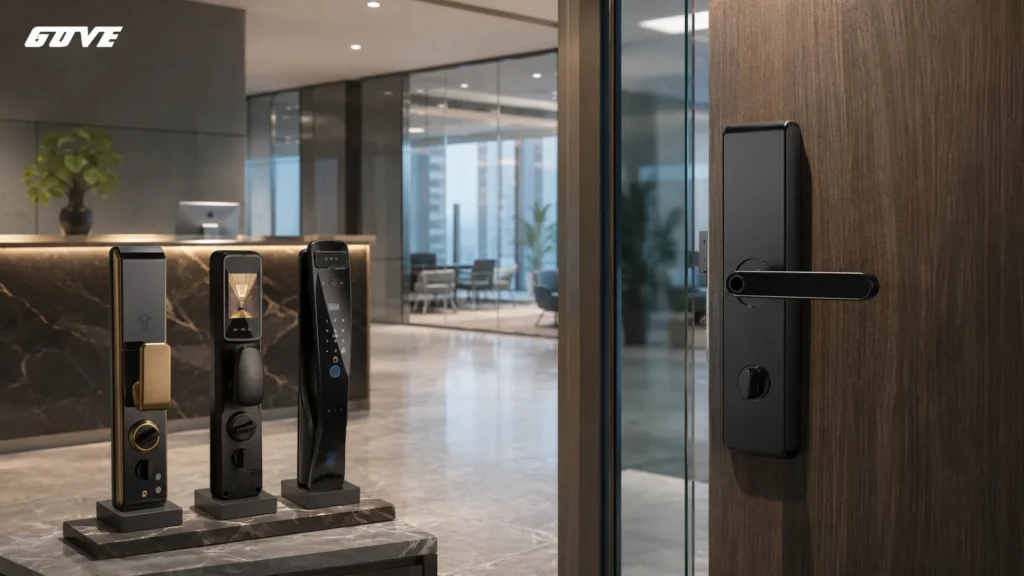
Choosing a **smart lock for business** is about more than just convenience; it’s about liability, durability, and commercial compliance. Before you select a model, verify these three points:
– Your door’s existing fire rating and hardware prep must match the lock’s certifications.
– The lock’s cycle rating must handle your daily foot traffic without failing early.
– Remote management should work with your IT network’s security protocols, not against them.
Why “Residential Grade” Fails the Business Test
A device designed for the front door of a house cannot carry the load of a busy office stairwell or a retail storefront. The failure isn’t a matter of brand quality—it’s a mismatch between light‑duty engineering and the demands of a commercial environment.
Before selecting a smart lock for business, the differences matter.
- Duty cycle. A residential deadbolt is typically tested to about 250,000 cycles. An office corridor door can hit that in well under two years. When the mechanism wears prematurely, the lock either jams on the strike or fails to latch securely, creating a security and ingress hazard.
- Fire‑rated assemblies. Most residential locks lack a UL 10C or equivalent fire listing. If your door is part of a rated fire barrier—common in stairwells, corridors, and mechanical rooms—installing a non‑listed lock will void the door’s rating and invite an inspection citation. Many businesses upgrade to commercial access control locks precisely to avoid this liability. Beyond code, insurance carriers may deny a claim if a loss investigation reveals a non‑listed lock on a fire door.
- Network security. Enterprise Wi‑Fi networks often use WPA2‑Enterprise with RADIUS authentication, which many consumer smart locks cannot join. The result is a lock that won’t connect to the very network your IT team has secured, forcing workarounds that create shadow‑IT risks.
Deciphering Hardware Ratings: ANSI Grade 1 vs. Grade 2
The Builders Hardware Manufacturers Association (BHMA) assigns ANSI grades that define exactly how much abuse a lock can take. The grade is not a marketing badge; it’s a test result for cycle life, impact resistance, and tamper resistance. For exterior doors and high‑traffic areas, the choice is stark.
| Feature | ANSI Grade 1 | ANSI Grade 2 | Practical Takeaway |
|---|---|---|---|
| Cycle rating | 1,000,000 + | 400,000 – 600,000 | Grade 1 survives decades of heavy use; Grade 2 fits moderate traffic. |
| Impact resistance | Withstands severe blows and twisting | Resists typical forced entry attempts | Grade 1 is meant for storefronts and building entries where attack risk is higher. |
| Typical door weight | Heavy commercial steel or reinforced wood | Standard interior or light‑commercial doors | Match the lock to the door mass; a Grade 2 lock on a heavy slab will drift out of alignment. |
| Recommended use | Main entrances, warehouse personnel doors, perimeter gates | Internal office doors, break rooms, low‑traffic storerooms | If the door is a fire‑rated exit, Grade 1 is almost always the safer specification. |
For high‑traffic exterior doors, ANSI Grade 1 locks for business are non‑negotiable. Some facilities mix grades: Grade 1 on the building perimeter, Grade 2 on interior suites. The mistake is treating them as interchangeable.
How to confirm a lock’s claimed grade:
- Look for the BHMA Certified mark on the product documentation or packaging.
- Request the independent test lab report that verifies the cycle and impact numbers.
- Cross‑reference the UL or Intertek listing number with the fire‑door label.
- Never rely on a vendor’s “heavy‑duty” marketing phrase; always ask for the test standard.
Mapping the Hardware to Your Door Type
The most frequent project delay in a commercial smart‑lock roll‑out is a physical mismatch. You cannot install a cylindrical lock on a door prepped for a mortise cassette.
The hardware type determines which smart locks are even possible, so a door audit must happen before you compare software features.
Mortise Smart Locks
Mortise locks use a rectangular body recessed into the edge of the door. They are common on aluminum storefront doors, glass‑entry systems, and high‑end commercial interiors. A mortise prep means a pocket in the door stile, not a simple face bore. Smart mortise locks often integrate with exit devices or lever trim, requiring a tailpiece that engages the existing cylinder hole.
For glass storefronts, specially designed smart locks for glass doors become relevant if the narrow‑stile frame or patch fitting demands a unique mounting plate. When auditing a mortise door, verify these details:
- The mortise lock brand and model—many smart retrofits are brand‑specific.
- The size of the electrical raceway available for wiring.
- Whether the fire‑rating label sits on the door edge; any modification must follow the lock maker’s listed instructions.
Cylindrical Smart Locks
A cylindrical lock fits through a standard 2‑⅛” face bore on the door. These are the most familiar to anyone who has installed a residential deadbolt. In commercial settings, you see them on hollow metal interior doors and wood‑slab office entries. Backset—the distance from door edge to center of the bore—must be measured; 2‑¾” is typical for commercial doors, but 2‑⅜” appears on some wood frames.
For internal office doors, many teams deploy RFID smart locks for offices that integrate with employee badge credentials, keeping the same cylindrical prep while adding keyless entry. A misaligned strike plate is the most common call‑back, so confirm the latch throw and bevel match the existing lock.
Smart Exit Trim for Panic Bars
Doors equipped with panic bars cannot be converted to a standard smart lock. The push bar spans the door width and the locking mechanism sits in the rail. The only way to automate such a door is to replace the outside pull trim with a smart exit trim—essentially a keypad or credential reader that signals the panic‑bar solenoid.
This is the standard solution for retail rear exits, theater fire exits, and warehouse perimeter doors. The spec must ensure the trim is compatible with the make and model of the panic device (Von Duprin, Corbin Russwin, etc.).
Key compatibility points:
- The trim must be rated for the same panic device series and voltage.
- If the door has an active alarm, the smart trim must integrate with the existing request‑to‑exit sensor.
- Fire‑rated panic bars require a trim that carries the identical fire‑listing; never mix manufacturers on a rated assembly.
Management Architectures: Wi‑Fi, Bluetooth, or Cloud‑Based?
The physical lock is only half the system. The way the lock communicates determines how many doors you can manage, how often you will change batteries, and what IT involvement is needed. The decision depends less on the lock brand and more on the facility’s network topology.
| Connectivity | How it talks | Pros | Cons | Best fit |
|---|---|---|---|---|
| Wi‑Fi | Lock connects directly to LAN | No extra hub, always‑on remote access | High battery drain, often blocked by enterprise WPA2‑Enterprise | Single‑door small offices with simple Wi‑Fi |
| Bluetooth only | Phone‑to‑lock direct | Lowest battery use, no network exposure | No remote unlock unless within range, no real‑time audit trail | Cabinets, internal closets, or standalone gates |
| Bluetooth + hub/gateway | Lock speaks BLE to hub, hub uses Ethernet/Wi‑Fi | Good battery life, remote access through the hub | Hub adds a single point of failure; range limited between lock and hub | Floor‑wide deployments where all doors cluster near a wiring closet |
| Cloud‑native (built‑in or bridge) | Lock communicates with a cloud platform via proprietary radio or bridge | True multi‑site management, real‑time audit logs, role‑based access | Requires stable internet and a clear SLA for platform uptime | Multi‑location businesses, co‑working spaces, retail chains |
The more doors you manage, the more a hub‑based or cloud model makes sense. A single Wi‑Fi lock for a storefront may work. Ten Wi‑Fi locks scattered across a building will create a battery‑swap headache. For multi‑location management, a cloud‑based access control platform is the practical baseline.
Why Cloud‑Native Is Essential for Multi‑Location Chains
When a retail chain or a co‑working operator must add or revoke a credential instantly across ten sites, only a cloud‑native architecture can propagate that change in seconds. Local‑only systems require someone to physically visit each controller. Cloud platforms also centralize audit logs, so a security director can spot anomalies—like an after‑hours unlock in a distant city—from a single dashboard.
Battery Life Implications by Connectivity
Battery consumption is directly tied to how often the lock wakes its radio. A Wi‑Fi lock that stays connected may need fresh AA cells every 3‑4 months under heavy traffic. A BLE lock that communicates only when a phone is near can last 2 years. Cloud‑native locks with a hub or bridge strike the best balance, using power‑efficient protocols to the bridge while leaving the heavy internet connection to the mains‑powered hub.
Before selecting a connectivity model, ask your IT team these questions:
- Does our WLAN support WPA2‑Enterprise, and will the lock join it without a workaround?
- Can we dedicate a VLAN segment for the lock’s hub or bridge to isolate access‑control traffic?
- What is the maximum distance from the farthest door to the nearest hub location?
- Do we need remote unlock capability while on site, or only admin functions from a desktop?
Essential Software Features for Business Operations
Hardware gets you through the door; software determines what you can prove after the door closes. Commercial‑grade platforms share a handful of must‑have capabilities that consumer apps rarely deliver.
Audit Trails: The Evidence Chain
A time‑stamped, tamper‑proof log of every unlock event is non‑negotiable for insurance, HR investigations, and compliance audits. If a theft occurs, knowing exactly which credential was used and when shifts the investigation from guesswork to evidence. Look for platforms that store logs in the cloud, not just locally on a phone, and that include the door name, user ID, and access method (PIN, badge, phone).
Passage Mode: Automating Business Hours
Retail owners need their front door unlocked during business hours and locked automatically at closing. Passage mode lets the lock remain in an open state for a scheduled window, then secures itself the moment that window ends. Confirm that the schedule survives a power cycle and that the lock reports its current mode back to the management console—otherwise a manager may assume the door is locked when it isn’t.
Temporary Credentials: The Keyless Cleaner
Issuing a one‑time code or a time‑bound PIN to a cleaner, contractor, or delivery service eliminates physical keys. Revocation should be instant from the dashboard, and the credential should not require a phone app download by the visitor. This feature alone often justifies the cost difference from a residential lock. For recurring visitors, recurring‑schedule PINs that only work on specific days and times further reduce risk.
Role‑Based Access: Scaling Permissions
Not every employee should open the server room or the pharmaceutical cabinet. A business‑grade system must assign permissions by role or user group, then enforce those permissions across every door in the system—consistently and without drift. As the team grows, enterprise access control practices become necessary to keep permission sets clean and to audit any privilege changes.
If you manage a multi‑tenant building where unit access changes frequently, keyless entry systems designed for that environment offer additional provisioning features. For most office and retail settings, the four features above form the core operational requirement.
Compliance, Safety, and the “Fine Print”
A smart lock purchase often stalls when the facilities or safety officer reviews the spec. These checklist items determine whether the project moves forward or gets sent back for re‑specification.
ADA Accessibility: More Than Handle Height
Locks must be operable with one hand and require no tight grasping or twisting. Lever handles, push‑pad styles, and keypad heights within 48 inches are all part of the equation. If the smart lock requires a thumbturn that cannot be grasped, the door will fail an accessibility review. Also verify that the operating force does not exceed 5 pounds for interior doors—many commercial smart locks list the maximum force in the spec sheet.
Fire Door Integrity: The 20‑Minute Rule
A door that carries a 20‑minute, 45‑minute, or 90‑minute fire rating must never be compromised by a lock that lacks the identical listing. Installing a non‑listed lock invalidates the entire door assembly. Always request the UL or Intertek file number and compare it to the door label. Never assume a Grade‑1 lock automatically carries a fire rating; the listing is separate and must be verified.
Lockdown: The Panic Sequence
In an emergency, a site manager should be able to trigger a building‑wide lockdown from a phone or a panic button. The lock must respond in seconds, not minutes. This capability also requires access control integration between the lock platform and any alarm or intercom system, so verify that the lock’s API or relay output supports your existing infrastructure.
The moment these items are checked, the specification becomes defensible to any code official or safety committee.
Consultation: Specifying Your Business Security System
Don’t guess on hardware compatibility; a 15‑minute consultation can save thousands in rework. A targeted hardware audit removes the risk of expensive re‑trimming, mismatched finishes, and doors that can’t close until a replacement arrives.
Gather these details before you contact us:
- Exact count of doors to be secured.
- Each door’s material (steel, wood, glass, aluminum storefront) and thickness.
- The existing mechanical lock brand and model, if visible.
- Whether any door carries a fire‑rating label.
- Network topology: can the doors reach a hub location, or does each need independent connectivity?
With that information in hand, we can assemble a custom specification in a single review call. To get a hardware‑level recommendation matched to your facility, request a Commercial Hardware Audit.
For a broader look at current models that meet the criteria discussed above, see our evaluation of the best commercial smart locks on the market.
Frequently Asked Questions
Can I use a residential smart lock on an office door?
Technically yes, but it is bad practice. The lock will lack a commercial fire rating, will wear out quickly under frequent use, and likely won’t connect to enterprise Wi‑Fi. Most manufacturers void the warranty if the lock is installed in a business setting. Code inspectors and insurance auditors will flag it.
How long do batteries last in a commercial smart lock?
In high‑traffic areas with 100 or more cycles per day, expect 6 to 9 months from a set of four AA alkaline cells—even less if the lock maintains a constant Wi‑Fi connection. BLE‑plus‑hub models often stretch battery life to 12 months or more. Look for low‑battery alerts pushed to the management dashboard to avoid lockouts, and choose locks that accept standard AA cells, not proprietary packs, for easier replacement.
Do I need a locksmith for a commercial smart lock installation?
For mortise locks, panic‑bar trims, and fire‑rated doors, yes—a qualified commercial locksmith is strongly recommended. The prep must be exact, back‑sets must be correct, and any modification to a fire‑rated door must follow the lock manufacturer’s listed instructions. A cylindrical lock on a standard prep is more forgiving but still benefits from professional alignment to avoid strike‑plate binding and latch wear.



