
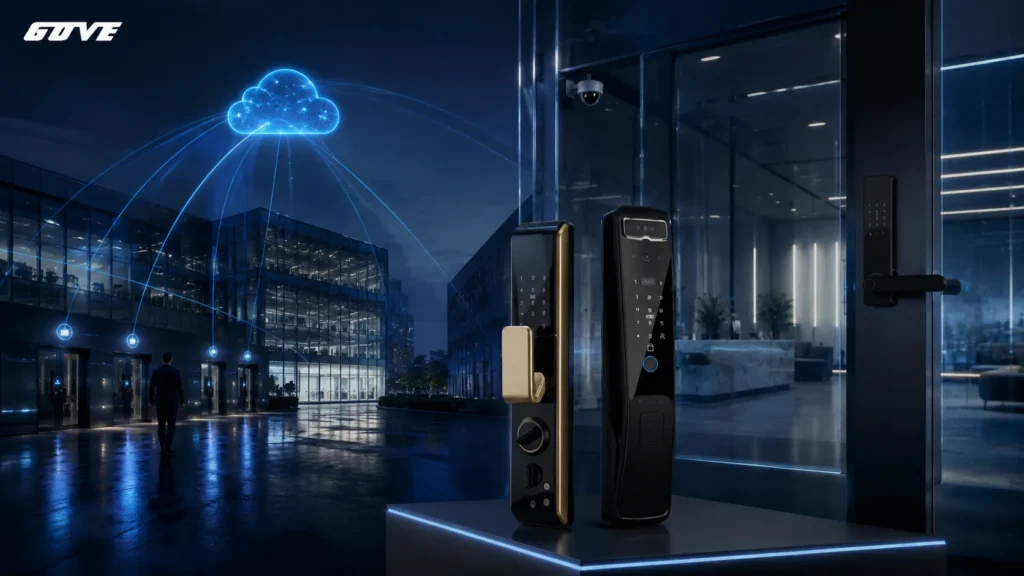
Cloud-native physical security isn’t a marketing upgrade—it’s a fundamental rearchitecture of how access control, video, and sensor data are processed. If you’re still nursing a rack of NVR servers that overheat every summer weekend, the difference is real.
Before you compare platforms, confirm where you stand today:
- Does your current system need a local server or gateway appliance to operate?
- Do firmware updates require a maintenance window and a USB drive?
- Can you add 200 new doors without ordering more hardware from IT?
Defining Cloud-Native Physical Security: Beyond the Marketing Fluff
Many vendors label their hosted video offering “cloud-based.” That skips the architecture that makes a platform genuinely cloud-native. The distinction matters because it dictates how your system handles failure, scale, and remote access under real-world conditions.
The Core Distinction: Built for the Cloud vs. Moved to the Cloud
A cloud-native physical security platform is designed from the ground up to run as a set of distributed, containerized services. There are no monolithic on-site servers, no Windows service packs to babysit, and no forklift upgrades when the storage array hits its limit. The system lives inside a cloud provider’s infrastructure and uses microservices architecture to decouple functions—credential validation, video analytics, event logging—so each can scale independently.
Contrast that with a cloud-enabled system: often a legacy on-premise application lifted into a virtual machine and hosted remotely. It might look cloud-like because you access it through a browser, but under the hood it still carries the constraints of a single-instance architecture. That means when the VM eats a patch cycle, your guard tour might stop reporting for 20 minutes.
A simple way to tell: ask a vendor if their access control engine and their video analytics run in separate, independently deployable containers. If they describe a single “server instance,” you’re looking at cloud-hosted, not cloud-native. Many enterprises have already shifted to cloud-native access control for this very reason—decoupling hardware endpoints from a central processing chokepoint.
The 3 Pillars of Architecture: Comparing Native, Enabled, and On-Premise
Physical security buyers often move through three architecture stages. The following table helps you place your current deployment—and see what changes with each model.
| Aspect | On-Premise | Cloud-Enabled (Hosted) | Cloud-Native |
|---|---|---|---|
| Server hardware | Dedicated NVR / access controller on-site | Remote VM mimicking on-prem server | No single server; distributed cloud services |
| Scalability | Add hardware for each site | Scale VM resources within host limits | Auto-scale per microservice on demand |
| Deployment speed | Weeks: rack, cable, configure | Days: provision VM, migrate config | Minutes: spin up new containers per site |
| Maintenance | On-site IT patches OS, firmware | Vendor patches VM; downtime still common | Rolling updates with zero-downtime orchestration |
| Failure resilience | Single NVR failure = video gap | VM failover possible but manual | Container restart, cross-zone redundancy built in |
| Cost model | Upfront capital expense | Monthly hosting + licensing | Consumption-based, per device/endpoint |
When security teams evaluate on-premise vs. cloud-enabled options, the immediate cost often looks lower with a hosted VM. But that savings evaporates the first time a remote site loses connection and the local cache fills up.
Cloud-native platforms handle intermittent connectivity gracefully. They are built to operate in distributed, occasionally-connected environments—a direct result of their API-first design and edge-aware architecture.
The 4 Cs Framework Applied to Physical Security Assets
You’ll often see the 4 Cs—Cloud, Cluster, Container, Code—discussed in DevOps circles. In physical security, each layer translates directly to how your locks, cameras, and sensors stay secure and operational.
- Cloud. The underlying infrastructure (AWS, Azure, GCP) provides physical data center security, DDoS protection, and core network isolation. Your provider should clearly document which regions your data transits through.
- Cluster. This is where video streams and access events get distributed. Instead of one NVR box, a cluster runs across multiple availability zones. If one zone experiences a hardware failure, the cluster redistributes the load without dropping frames.
- Container. Each security function—say, video ingestion, license plate recognition, and access rule evaluation—runs in its own container. A memory leak in the analytics engine shouldn’t take down the door controller logic. This isolation is a key advantage over monolithic systems.
- Code. Infrastructure as Code (IaC) means your security topology—camera recording schedules, door unlock rules, user permissions—is version-controlled and repeatable. You can spin up a new facility’s entire security configuration from a template in minutes.
These four layers are the reason a genuinely cloud-native system can push a firmware patch across 3,000 edge devices in a single CI/CD pipeline without a scheduler outage.
Eliminating the NVR: How Microservices Transform Security Operations
The NVR is the most overworked box in the building. It records video, manages credentials, runs analytics, and stores everything on spinning disks. When 100 cameras all trigger motion detection at shift change, the CPU spikes and the interface lags. You’re not just annoyed—you’re blind during a peak risk window.
In a cloud-native platform, functions that used to live inside that one appliance are split across loosely coupled microservices. The event ingestion service scales up to handle the motion spike. The analytics service processes frames in parallel. Access decisions stay fast because the credential service isn’t competing for the same memory bus.
This architecture also eliminates the physical bottleneck. You don’t need a bigger NVR when you add a new building. You just point additional cameras to the ingestion endpoint.
Many deployments now leverage edge computing in security to pre-process high-bandwidth video locally. This keeps real-time alerting immediate while storage and deep analytics run in the cloud. That split between local edge processing and cloud back-end is only possible with a microservices model, not a monolithic appliance.
Technical Benefits: CI/CD, Latency, and Scalability
Continuous Delivery of Security Patches
A cloud-native platform delivers firmware and software updates through a CI/CD pipeline, not a tech’s van. When a vulnerability in a video stream library is disclosed, the fix gets built, tested in a staging container, and rolled out progressively—first to 1% of devices, then more—without interrupting recording.
The old way: inventory every camera model, schedule a maintenance window, manually push firmware, then verify each device. Multiply that across 50 sites, and a zero-day patch takes weeks. With cloud-native, the patch reaches all devices often within hours. For regulated industries, that delta matters for audit reports.
Dynamic Scaling for Global Footprints
When a security director gets approval for a new 300-door facility, on-premise planning means ordering servers, waiting for shipment, racking, and configuring. A cloud-native platform scales elastically: spin up new container instances for the additional door controllers, and you’re operational in minutes after the network is live.
Elasticity also works in reverse. If you decommission a seasonal facility for six months, you’re not paying for idle server licenses. The consumption model aligns cost to active devices. This is not just convenience—it changes the capital expenditure conversation with finance.
And because the architecture uses bandwidth optimization and data tiering, you aren’t punished with massive cloud egress bills for high-resolution video either. Systems designed for scalable security architecture adjust automatically, without a project manager opening a ticket.
Mapping Physical Security Challenges to Cloud-Native Solutions
Many security directors trust what they know: a closet full of gear they can touch. But real-world failures don’t respect hardware loyalty. Here’s how cloud-native directly addresses the incidents that wake IT up at 3 a.m.
| Traditional Challenge | Cloud-Native Solution |
|---|---|
| NVR hard drive failure losing weeks of footage | Redundant distributed storage across availability zones; immediate failover with no manual rebuild |
| Remote site losing connection to central server | Edge caching and store-and-forward; doors continue to operate, video syncs when reconnected |
| Adding 500 cameras requires new server procurement | Auto-scaling ingestion services; no hardware ordering, just endpoint registration |
| Cybersecurity patch takes 3 months to deploy globally | CI/CD pipeline pushes verified patches to all edge devices in hours with rollback capability |
| Access logs and video stored in incompatible formats | Normalized data lake with API access, enabling unified investigations across sites |
| High-bandwidth motion events spike CPU and crash UI | Container autoscaling; analytics microservices absorb burst without affecting access control |
| Compliance audit requires manual evidence collection | Automated policy-as-code enforcement with immutable logs and one-click audit reports |
These aren’t theoretical perks—they’re architectural consequences. When the system is built as a set of independent, orchestrated containers, no single component can bring down the whole operation. That’s a reassuring difference during a security incident.
The Shared Responsibility Model in Physical Security
One of the most common concerns we hear from facility managers: “If my system is in the cloud, who’s responsible when something goes wrong?” The answer in a cloud-native model follows a clear shared responsibility model—similar to what you’d see in other cloud services, but adapted for physical hardware.
The provider secures the infrastructure: physical data center access, hypervisor patching, network encryption in transit, and storage redundancy. They are responsible for the container orchestration layer, ensuring clusters stay healthy and updates are signed and verified.
Your team manages the application-level security: user roles, door schedules, camera privacy zones, and device authentication. You own the access policies. Practically, this means you configure two-factor authentication for the admin console and rotate API keys—not patch a Windows server.
Compliance like SOC 2 and GDPR also maps cleanly. A cloud-native provider often maintains third-party attestations for the infrastructure layer, giving you a head start. Your audit then focuses on operational controls: who accessed which door, how long video is retained, and whether access reviews are documented. In a properly architected system, these logs are collected automatically and tied to identity, reducing the scramble before an audit.
Evaluation Checklist: Is Your Security System Truly Cloud-Native?
Sales sheets can blur the line. Use these questions when a vendor claims “cloud-native.” A single “no” often reveals a hosted legacy system underneath.
- Does the platform require an on-site server, appliance, or gateway to function? (A red flag if yes; edge controllers for protocol translation are acceptable if they don’t host the core logic.)
- Are software updates pushed in real-time with zero downtime and automated rollback? Or do they require a scheduled maintenance window?
- Is the system built on a microservices architecture, with independently deployable components for access control, video, and analytics?
- Does the provider offer a documented, API-first design for third-party integration—not just a desktop SDK from 2012?
- Can the platform auto-scale to add hundreds of doors or cameras without new hardware procurement?
- Is pricing based on active devices or consumption, not fixed server licenses that penalize seasonal swings?
- Does the architecture incorporate edge processing to maintain local door operations during internet outages?
- Are identity and access management based on a zero-trust architecture with certificate-based device authentication?
If a vendor stumbles on more than one of these, you’re likely looking at a cloud-washed product. The underlying architecture—not the web dashboard—defines cloud-native behavior. Engaging a partner who understands the shared responsibility model in physical security early can prevent costly hardware lock-in.
Modernizing Your Infrastructure: The Path to Cloud-Native
Moving to a cloud-native physical security platform rarely means ripping out every camera. In most cases, you can leverage existing IP cameras and readers through edge controllers or protocol bridges. The transformation happens at the backend: the server closet empties, and the intelligence shifts to cloud-based microservices.
The pragmatic first step is a technical audit. Map every device endpoint, current firmware revisions, network bandwidth, and existing integrations. Identify which locations already have resilient connectivity and which will need store-and-forward edge capabilities. A well-planned migration can phase out legacy controllers over 12–18 months without closing facilities.
We’ve seen enterprises cut their security IT overhead by over 40% in the first year simply by eliminating server maintenance contracts and point-to-point VPN troubleshooting. The real win, though, is the speed of response—patching a critical vulnerability across a global camera fleet in hours, not months.
If your team is evaluating this shift, talking to an architect who lives in both the physical and cloud domains makes the difference. Our technical team can walk through a reference architecture using your actual site mix and camera count. They’ll show what the transition looks like—including edge failover scenarios and bandwidth calculations. Schedule a technical architecture review to move from theory to a concrete deployment plan.
Frequently Asked Questions
Can I use my existing IP cameras with a cloud-native platform?
Yes, in most cases. Cloud-native platforms typically support ONVIF-compliant cameras through edge connectors or cloud bridges that translate standard RTSP streams. The camera’s firmware doesn’t need to change; the intelligence layer in the cloud handles ingestion and analysis. Some older proprietary models may require a hardware adapter, but it’s rare to need a full camera swap.
Is cloud-native more expensive than on-premise in the long run?
When you factor total cost of ownership—electricity, rack space, cooling, DBAs maintaining SQL servers, and truck-roll maintenance—cloud-native often breaks even or comes out ahead after 18–24 months. The bigger financial advantage is flexibility: you stop over-provisioning for peak capacity that sits idle most of the time and pay only for active devices.
What happens to my cameras if the internet connection drops?
A well-designed cloud-native system includes edge storage on the controller or camera SD card. Doors continue working with local decision-making based on cached rules. Video records to the edge buffer and syncs automatically when the connection restores—a process called store-and-forward. The system is engineered for resilience, not a perfect connection.



