
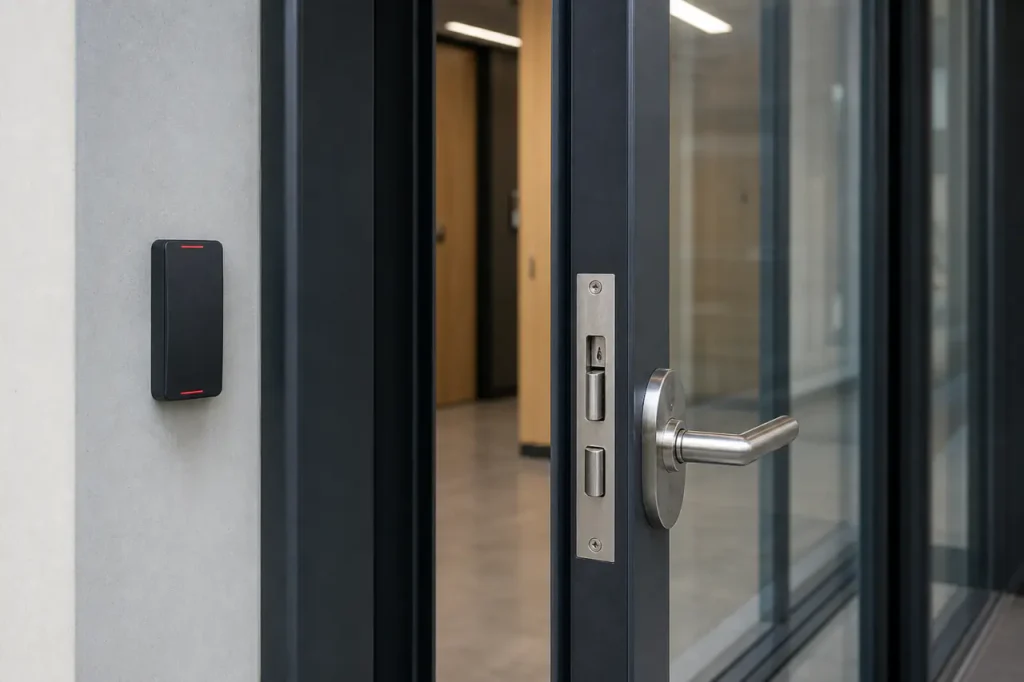
The Architecture of Access Control: Hardware Meets Software
An access control lock never operates in isolation.
Every electrified opening relies on a defined system train: cloud-based management software issues commands to a door controller, which receives a credential from a reader, then instructs a power supply to energize or release the locking mechanism.
Selecting the right hardware starts with understanding how commercial access control locks fit into that chain.
The choice of controller infrastructure-whether conventional hardwired panels or IP-enabled wireless networks-determines wiring topology and lock selection early.
Hardwired systems use low-voltage runs to each opening, while IP or wireless architectures can support battery-operated locks on a mesh network, reducing cable pulls. The physical lock must align with the communication backbone, not the other way around.
- Cloud Management Software → Access Permissions and Audit Logs
- Door Controller / Panel → Decision Engine and Relay Logic
- Reader → Credential Capture (Keypad, Card, Mobile, Biometric)
- Power Supply → Centralized DC Voltage with Battery Backup
- Electrified Lock → The Physical Actuator on the Door
Core Types of Commercial Access Control Locks
The physical door frame, material, and required holding force dictate which lock mechanism is viable.
No single lock type works for every commercial opening, and forcing a mismatched lock onto a glass storefront or fire-rated door creates a weak point in the security envelope.
The four primary categories cover most facility needs.
Electric Strike Locks
An electric strike replaces the standard strike plate on a door frame. When activated, it releases the latch bolt without requiring the handle to be turned, leaving the mechanical lockset intact.
This makes electric strikes the go-to option for integrating access control into existing hardware-the original lock remains the primary means of egress, and the strike governs remote entry.
Installation compatibility drives the choice. Before specifying an electric strike, confirm these details:
- Door frame material and type (hollow metal, wood, aluminum).
- Door gap measurement and latch projection.
- Required fail-secure or fail-safe state per code.
- Compatibility with existing mechanical lockset.
Electric strike locks excel on hollow metal frames and solid-core wood doors in office interiors and utility rooms.
Magnetic Locks (Maglocks)
An electromagnetic lock uses a powerful electromagnet mounted on the door frame and an armature plate on the door. When energized, the magnet holds the plate with hundreds or thousands of pounds of force.
Drop power, and the door releases instantly-maglocks are inherently fail-safe, making them a natural fit for fire-rated exit paths.
Maglocks require dedicated low-voltage power, typically 12 or 24 VDC, and a door position sensor for proper monitoring. They are the standard solution for aluminum-framed glass doors and heavy pedestrian entrances where cutting a mortise pocket is impractical.
Key integration points for maglocks:
- Stable low-voltage power source (12/24 VDC) with backup battery.
- Door position sensor to verify secure closure.
- Fire alarm relay to cut power on alarm activation.
- Release button or motion sensor for free egress on fail-safe installations.
Comparing maglocks and electric strikes often comes down to the door material and egress code.
Electronic Cylindrical and Mortise Locks
These locks integrate the credential reader and locking mechanism into a single device that replaces the mechanical lock body. Cylindrical locks fit standard bored prep, while electronic mortise locks require a deeper pocket in the door edge and offer higher security for high-traffic, heavy-duty openings.
Because the reader, lock, and request-to-exit sensor are self-contained, the installation is cleaner and reduces the number of separate components. Battery-operated models communicate wirelessly to the access control panel, cutting most wiring.
However, mortise locks demand precise door prep-a second install on a misaligned frame can cost more than the hardware itself.
Before selecting an electronic mortise lock, verify:
- Door thickness and edge pocket depth for the mortise case.
- Alignment of the prep with the strike plate on the frame.
- Wireless signal strength if using battery models.
- ANSI grade requirement for cycle endurance.
Wireless IP and PoE Locks
IP-connected locks eliminate the dedicated controller altogether. They draw power over Ethernet (PoE) or rely on long-life batteries and communicate over Wi-Fi or a proprietary wireless mesh directly with the cloud platform.
Cloud-managed commercial locks simplify retrofits in historic buildings and co-working spaces where running new cables is restricted.
Wireless locks must be designed for commercial-grade uptime. Plan for these factors from day one:
- Battery replacement schedule and monitoring.
- Signal reliability survey near metal frames and walls.
- Emergency override protocol (physical key or mobile backup).
- Firmware update path and remote management capabilities.
| Lock Type | Mechanism / Operation | Pros | Cons | Best Use Cases |
|---|---|---|---|---|
| Electric Strike | Electric release of latch bolt; existing lockset remains | Retains original hardware; cost-effective for multiple doors | Frame prep constraints; strike alignment critical | Office interiors, stairwell doors, utility rooms |
| Magnetic Lock | Electromagnetic holding force; no moving parts | High holding force; rapid egress; fits glass/aluminum frames | Requires continuous power; release button for free egress | Main lobby glass doors, fire exits, perimeter entrances |
| Electronic Cylindrical | Bored lock body with integrated reader and latch | All-in-one installation; minimal wiring | Limited twisting force durability compared to mortise | Interior office doors, conference rooms, light-duty commercial |
| Electronic Mortise | Mortise case lock body with heavy-duty latch and deadbolt | High-cycle durability; ANSI Grade 1 capable | Requires deep door prep; higher unit cost | High-security rooms, main entrances, server rooms |
| Wireless IP / PoE | IP-connected reader-lock assembly powered by PoE or battery | No controller wiring; remote management; flexible deployment | Battery maintenance; signal interference potential | Retrofits, co-working spaces, distributed campuses |
The table above illustrates why the lock is always selected after the door and the controller architecture are defined, not before.
Life-Safety Compliance: Fail-Safe vs. Fail-Secure Configurations
All electrified commercial locks must be configured for safe egress during a power loss.
The failure state is not optional-it is mandated by local building and fire codes, and the final word belongs to the Authority Having Jurisdiction (AHJ).
Misconfiguring a locked-fire-exit can invalidate an occupancy permit and create life-safety liability.
- Fail-Safe (Power to Lock): The lock requires continuous voltage to stay secured. If power drops, the door unlocks immediately. This is the required configuration for all fire-rated exit doors, public assembly spaces, and any opening where free egress must not be impeded. Maglocks are inherently fail-safe.
- Fail-Secure (Power to Unlock): The lock requires voltage only to release. On power loss, the door stays locked from the outside but always permits mechanical free egress from the inside via a lever, push bar, or exit device. Common for exterior perimeter doors and IT rooms where you want no outside access during an outage.
Beyond the lock state, the hardware must meet fire code compliance and ADA-compliant door hardware requirements. Operating forces, lever designs, and clearance measurements all factor into the final specification.
Always pair a fail-safe maglock with a listed fire alarm relay that cuts power on alarm activation.
ANSI/BHMA Standards: Selecting Commercial-Grade Durability
Commercial environments subject door hardware to hundreds of cycles per day. Deploying residential-grade components inside an access control system guarantees early mechanical failure and repeated service calls. The ANSI/BHMA grading system is the shorthand for hardware endurance specification.
Understanding ANSI/BHMA Grade Levels
ANSI/BHMA grades define the cycle life and durability required for commercial hardware. Choosing the wrong grade leads to premature failure at the latch or strike plate, not the electronics.
- Grade 1 (1,000,000 cycles): Heavy-duty commercial. Required for main entrances, schools, hospitals, and high-abuse corridors. Tested for strength, wear, and security at the highest level.
- Grade 2 (400,000 cycles): Standard commercial. Suitable for interior office doors with moderate traffic. Good balance of cost and endurance for up to 50 cycles per day.
- Grade 3 (residential, 250,000 cycles): Not designed for commercial access control. Deploying Grade 3 hardware leads to rapid system failure and repeated service calls.
The failure point in access control systems is rarely the electronics; it is almost always the latch or the strike plate wearing out from cycles beyond their rating.
Specifying Grade 1 for main entrances and any opening that must remain operational 24/7 removes a major source of operational risk.
For interior doors that see 20-50 cycles a day, Grade 2 can meet the requirement. Always verify the cycle rating against actual building traffic data, not assumptions.
Matching Lock Hardware to Facility Applications
Application-Driven Selection Criteria
Hardware selection shifts by zone. High-traffic glass doors, server rooms, fire exits, and standard offices each demand a specific combination of locking force, fail-state, and integration topology.
The table below maps common business applications to the recommended hardware.
| Business Application | Recommended Lock Type | Required Fail-Safe / Fail-Secure | Key Selection Drivers |
|---|---|---|---|
| Main Lobby Glass Doors | Magnetic Lock | Fail-Safe | Fits narrow stile frames; no cutouts required; high holding force; automatically unlocks on fire alarm |
| Server Room / IDF Closet | Electronic Mortise or Electric Strike | Fail-Secure | Maintains security during power loss; high-cycle rating; audit trail integration |
| Fire-Rated Exit Door | Magnetic Lock or Exit Device with Electric Strike | Fail-Safe | Must release on fire alarm and power loss; panic hardware required; AHJ approval mandatory |
| Interior Office Door | Electronic Cylindrical or Electric Strike | Fail-Safe or Fail-Secure | Moderate traffic; lower cost per opening; easy retrofit into standard bored prep |
| Perimeter Exterior Door | Electronic Mortise with Mechanical Key Override | Fail-Secure | Weather-resistant; high holding force; key override for emergency access during system outage |
| Co-Working / Flexible Suite | Wireless IP / PoE Lock | Fail-Safe or Fail-Secure | Rapid deployment; cloud-based scheduling; no core drilling for cables |
One common mistake is applying the same lock template to every door in a facility. Instead, verify these zone-specific requirements:
- Confirm holding force against potential physical attack for perimeter doors.
- Check fire egress path requirements: fail-safe for exits, fail-secure for security rooms.
- Ensure door material and frame type support the lock form factor.
- Verify controller compatibility and wiring path availability.
Access Control Integration and Wiring Requirements
The physical lock must match the voltage, wiring topology, and credential ecosystem of the master access control panel. A 12 VDC electric strike connected to a 24 VDC controller output creates an immediate system fault that won’t appear until commissioning.
- Hardwired Locks: Low-voltage wiring (typically 18/2 or 18/4) runs from the centralized power supply through the door frame, often via a door cord or electrified hinge. Verify the conductor gauge for voltage drop over long runs.
- Wireless Locks: Use Wi-Fi or proprietary mesh networks to communicate with the access control platform. They reduce cable installation but demand a battery replacement schedule. Confirm signal strength at the door location before finalizing the design.
- Centralized Power Supply: Each lock circuit should be fed from a UL-listed access control power supply with battery backup. The battery must support the full load for the required standby time, typically 4-24 hours depending on code.
- Controller Compatibility: Door controllers and panels provide the relay outputs and input monitoring that tell the lock when to engage. Wireless IP locks may talk directly to software, bypassing traditional panels, but the credential and scheduling logic must still be coordinated.
Security integration extends beyond the lock. Video intercoms, alarm panels, and visitor management systems can all tie into the access control ecosystem. The lock selection must leave room for these future handoffs-adding an extra relay output today is cheaper than pulling new cable later.
Pre-Deployment Security Architecture Checklist
Validating physical dimensions, building codes, and software compatibility before ordering hardware prevents the most expensive three words on a commercial project: “We’ll fix it in the field.”
Use this checklist as the final gate before procurement:
- Door frame measured: stile width, door thickness, gap between door and frame, and hand (left/right swing).
- AHJ fire code and egress requirements confirmed in writing, including acceptable fail-safe/fail-secure states and fire alarm release methods.
- Controller and power supply voltage, maximum lock current per output, and battery backup capacity validated against lock specifications.
- Credential reader protocol and wiring interface verified-Wiegand, OSDP, or direct IP-to ensure the lock assembly communicates correctly.
- Door position sensor and request-to-exit devices budgeted and accounted for in the door prep.
- ADA operating force and hardware clearance requirements reviewed for each opening.
- Wireless locks site-surveyed for signal strength; backup manual override key plan in place.
Commercial access control deployments rarely succeed as a parts list ordered from a catalog. A site walk-through and an architectural assessment prevent mismatched hardware, power faults, and code violations that escalate cost after the walls are closed.
Speak with a security integration specialist to request a custom deployment quote, hardware specification review, and system architecture design that starts from the door and works backward.



