
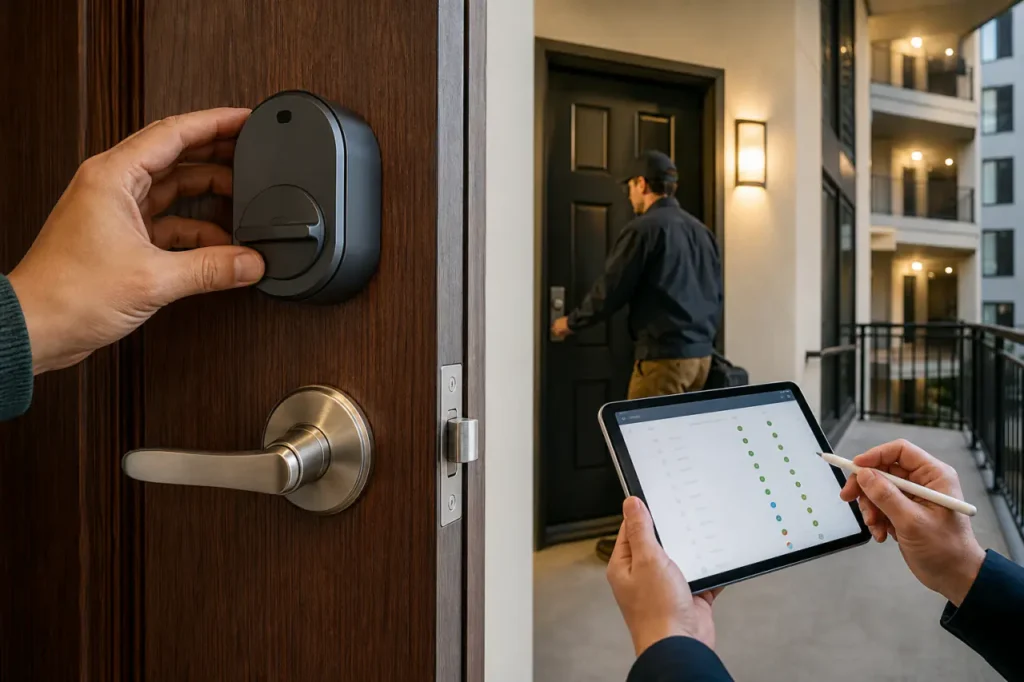
An apartment smart lock system depends entirely on who you are. Renters need a lock that leaves the landlord’s key untouched; property managers need a network that handles doors at scale.
One solution cannot serve both. The right pick splits early: renters look at retrofits; operators look at cloud-managed platforms.
The Apartment Smart Lock Dilemma: Individual vs. Building-Wide Needs
A standard smart lock that replaces the exterior key cylinder almost always violates a standard lease clause. Renters need options that mount over the interior thumb-turn, preserving the landlord’s key and the original deadbolt.
This keeps the security deposit safe and avoids an argument with management.
Property managers face a different problem. Manual key handoffs for 50 units waste hours each month. Unit turnover means rekeying or trusting that copies don’t float around.
A commercial multifamily door lock deployment cuts that friction by issuing time-bound digital codes and tracking every entry on a dashboard.
The Renter Track and Property Manager Track below separate the buying logic so you land on the right product class immediately.
The Renter Track: Best Landlord-Friendly Retrofit Locks
A renter-friendly smart lock attaches to the inside of your door and turns the existing thumb-latch mechanically.
Your landlord’s key still works from the outside, and the lock can be removed in minutes when you move out.
This category is dominated by retrofit deadbolt adapters that avoid wiring, drilling, or swapping the key cylinder.
Table 1: Top Renter-Friendly Retrofit Locks
| Product Name | Installation Type | Ecosystem | Landlord Key Access |
|---|---|---|---|
| August Wi-Fi Smart Lock | Thumb-turn adapter only | Alexa, Google, HomeKit | Unchanged; exterior key works |
| SwitchBot Lock | Stick-on thumb-turn motor | Alexa, Google, HomeKit via hub | Unchanged |
| Wyze Lock Bolt | Thumb-turn replacement | Alexa, Google | Unchanged; uses existing deadbolt |
| Gove Retrofit Smart Lock | Interior thumb-turn mount | Alexa, Google, HomeKit | Unchanged; original key works |
What the table tells you: Every option leaves the exterior lock alone. The difference comes down to smart home compatibility, auto-unlock reliability, and whether you want a separate bridge for remote access.
Why Non-Destructive Installation Matters
Most apartment leases forbid altering door hardware. If you swap the entire deadbolt, you create a lease violation that can cost your deposit. A retrofit smart lock using a deadbolt thumb-turn adapter slips over the existing interior knob.
There’s no drilling, no wiring, and no visible change to the outside. Landlords inspecting the exterior see the original lock. Here’s what non-destructive installation actually delivers:
- Zero lease-violation risk from hardware changes
- No drill holes or screw marks left behind
- External keyhole remains untouched for landlord access
- Quick removal in minutes when your lease ends
The expensive mistake is buying a full deadbolt replacement that requires rewiring the strike plate. Even if you reinstall the original lock before moving out, the holes and screw marks can trigger a repair charge. Non-destructive installation avoids that risk entirely.
Smart Home Ecosystem Integration
Renters often build around a voice assistant. If your household runs on HomeKit, choose a lock that carries the HomeKit badge without requiring a proprietary bridge you might leave behind.
The best HomeKit smart locks connect directly via Bluetooth or Thread and talk to your Apple TV or HomePod for remote access.
If you prefer Alexa or Google, Wi-Fi-connected models simplify setup but drain batteries faster.
Check for auto-unlock via Bluetooth. This feature detects your phone approaching and unlocks the door without a tap.
Pair it with DoorSense or an equivalent open/close sensor so the lock knows when to re-lock automatically. That single feature cuts lockout calls more than any other renter-friendly upgrade.
Before you buy, make sure the lock includes these key capabilities:
- Auto-unlock that triggers via Bluetooth as you approach
- Open/close sensor (DoorSense) to confirm the door is shut and auto-lock
- Direct HomeKit, Alexa, or Google compatibility without extra hubs
- Battery life of at least 6 months under typical daily use
If you’re ready to upgrade your rental without upsetting the landlord, compare renter-friendly smart locks here.
The Property Manager Track: Commercial Building-Wide Systems
A commercial apartment access platform replaces physical keys with a cloud dashboard that controls every door in the building-unit entries, common areas, gyms, and package rooms. Systems scale from 10 doors to 300 without adding administrative workload.
The initial hardware cost per door is higher than a consumer retrofit, but the operational savings from automated turnovers and maintenance access pay back quickly.
Table 2: Commercial Access Control Platforms
| Platform / Vendor | Connectivity Type | Primary PMS Integration | Hardware Compatibility |
|---|---|---|---|
| SmartRent | Z-Wave hub-based | Yardi, RealPage, Entrata | Proprietary door hub, thermostat, sensors |
| Latch (Dormakaba) | Wi-Fi with cellular backup | Yardi, RealPage, custom API | Latch M, R, C series door controllers |
| Salto KS | Bluetooth mesh with cloud bridge | Entrata, ResMan, open API | Salto door controllers, readers |
| Gove Multifamily Access | Z-Wave or Wi-Fi mesh | Yardi, RealPage compatible | Door hub, gateway, common-area readers |
Two factors separate enterprise-ready platforms from consumer locks: apartment keyless entry systems must pair with property management software (PMS) and they must survive daily use across hundreds of cycles without battery swaps every three months.
Automating Resident Turnover and Maintenance Access
The real cost of physical keys is turnover. Rekeying a single unit costs $75-150. Multiply that by 30 units turning over annually, and a multifamily access control integration eliminates the expense completely.
With a building-wide platform, you issue a new digital credential to the resident when they move in and revoke it the moment they move out. No hardware to replace.
Maintenance access becomes auditable. You assign a time-limited code to a vendor that works from 9 a.m. to noon on Tuesday.
The system logs exactly when that code was used, and the code cannot be used again. This closes the gap between a work order and actual entry, a frequent source of resident disputes.
Digital access codes deliver these operational wins:
- No physical key handoffs for vendors or cleaning crews
- Time-bound, one-time-use codes that expire automatically
- Audit trail linking every entry to a specific work order
- Zero rekey expense when a resident moves out
Property Management Software (PMS) Integrations
If the lock dashboard does not talk to your PMS, you will manually update resident records in two places. That duplication erodes the efficiency gain.
Look for platforms that offer a native integration with Yardi, RealPage, or Entrata. The best integrations auto-sync resident move-in dates, create a credential, and archive access logs under the resident profile.
Ask for a demo of the actual integration before committing, because some vendors claim “API available” but ship a fragile connector that breaks with every PMS update. During that demo, verify these points:
- Move-in/move-out dates sync automatically and trigger credential changes
- Access logs appear under the resident profile in your PMS
- You can issue and revoke digital keys from the PMS interface
- The integration has been tested against your current PMS version
- What happens if the PMS updates-will the connector survive?
For multifamily operators considering a building-wide deployment, request a system demo or explore integration options to see how the platform fits your existing property stack.
Core Buying Factors: Connectivity, Security, and Reliability
Both renters and property managers must understand how the lock connects, what happens when the internet drops, and whether a physical backup key exists. Get these wrong and you will deal with lockouts at the worst possible time.
Wi-Fi vs. Bluetooth vs. Z-Wave
- Wi-Fi connects directly to your router and allows remote control without a hub. It is simple for a single door, but battery drain is high. A Wi-Fi lock used 10 times a day may need new batteries every 3-4 months.
- Bluetooth offers the best battery life and fast local connection. It requires your phone to be within about 30 feet for direct control, though a bridge or hub can extend range to the cloud.
- Z-Wave is a low-power mesh protocol that connects to a hub. It is the preferred choice for building-wide deployments because one hub can manage dozens of locks, and battery life can reach 1-2 years. Z-Wave locks do not connect directly to your phone without the hub.
The mistake is choosing Wi-Fi for every door in a 100-unit building. Each lock becomes a separate device on the network, creating management chaos and frequent battery changes.
Property managers should default to Z-Wave or a hub-based Bluetooth mesh; renters can safely pick Wi-Fi or Bluetooth for one door and accept the battery trade-off.
Before you commit to a protocol, ask these three questions:
- How many doors will you connect? One door supports Wi-Fi; a building demands Z-Wave or a Bluetooth mesh.
- What battery replacement interval can you live with? Z-Wave targets 1+ years; Wi-Fi may need quarterly swaps.
- Will the lock still work locally if the hub or internet goes down? Z-Wave and Bluetooth locks with local caching stay operational; pure cloud Wi-Fi locks do not.
Backup Power and Physical Keys
A smart lock with no physical key backup is a liability. Even the best smart deadbolt for apartments should preserve the original key cylinder on the outside.
That way, if the lock’s batteries die or the motor fails, you use the physical key to get in.
Some locks include a 9V battery terminal on the bottom for emergency power when batteries are dead.
For building-wide systems, confirm what happens when the central hub loses power or internet. The best platforms cache access credentials locally on the lock so residents and staff can still enter during a network outage.
Ask the vendor to demonstrate a failover scenario before signing, because a cloud-only lock that fails offline will generate service calls faster than a broken elevator. Also confirm these backup essentials:
- Exterior key cylinder remains functional as a mechanical backup
- Emergency battery terminal on the lock body if batteries die completely
- Local credential cache that survives hub or internet outages
- Low-battery warnings via app and audible alert well before shutdown
Frequently Asked Questions
Can a landlord prevent a renter from installing a smart lock?
Yes, if the lock requires changing the exterior hardware, drilling holes, or rewiring. Most standard leases forbid altering permanent fixtures.
A retrofit lock that attaches only to the interior thumb-turn usually does not trigger this clause, but always review your lease before installing.
Some landlords may still object; sending a photo showing the exterior remains unchanged often resolves the concern.
What happens to a smart lock when the apartment loses Wi-Fi or power?
The lock continues to work. Smart locks run on internal batteries, so a power outage does not affect them.
You can still lock and unlock manually with a key or local Bluetooth from your phone if you are within range.
Remote access over Wi-Fi will be unavailable until the router comes back online, but physical security remains intact.
How do building-wide smart lock systems handle maintenance requests?
Property managers issue a temporary, time-bound digital code for each work order. The code works only during the scheduled window and creates a timestamped audit trail of entry.
This eliminates the need to track physical keys and ensures vendors cannot access the unit outside the approved time. The access log integrates with the PMS, linking entry records to the resident’s maintenance history.



