
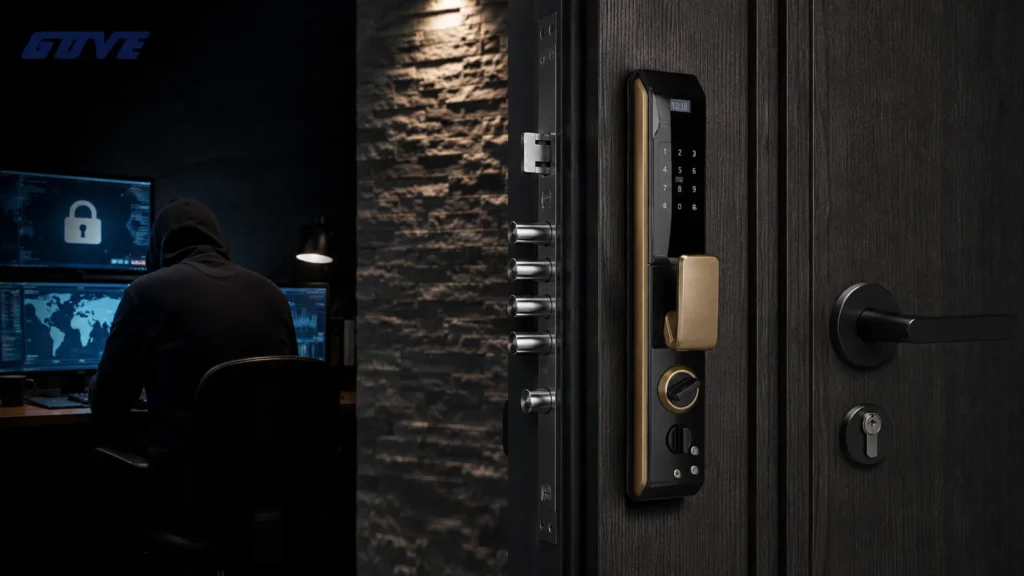
When you ask are smart locks safe, the answer is a confident yes—as long as the lock pairs a heavy-duty deadbolt with current data encryption. A well-built smart lock actually improves security over a traditional keyed lock by removing the physical keyway that burglars can bump or pick. And unlike a hidden spare key, digital access can be tracked, time-restricted, and instantly revoked.
What makes a modern smart lock trustworthy? Look for these three essentials before you buy:
- A mechanically robust deadbolt that meets ANSI/BHMA standards
- AES-128 or AES-256 encryption on all wireless commands
- Tamper detection and auto-lock fallbacks that prevent human error
For a closer look at how these safeguards work together, check our smart lock safety overview.
The Core Safety Verdict: Physical Strength Meets Digital Shields
Smart lock security always splits into two interdependent layers; ignore either and the door is vulnerable. The physical layer—the deadbolt, strike plate, and hardened steel—must still stop a kick or crowbar.
The digital layer—encryption, authentication, and firmware—must prevent remote exploits and unauthorized cloning. A lock that passes both layers correctly delivers safety that equals or exceeds a high-quality traditional deadbolt.
Why Physical Hardware Still Matters
A smart lock is first a mechanical lock. The deadbolt throw length, bolt material, and strike plate reinforcement determine whether the door holds against a brute-force attack.
The deadbolt durability standards haven’t changed: a one-inch throw in a hardened steel bolt with a reinforced strike box will stop most residential break-in attempts. No amount of encryption can compensate for a cheap plastic latch.
What’s different is the attack surface. Without an external key cylinder, there is nothing to tension-wrench or bump. High-grade smart locks remove the most common low-skill attack vector—key bumping—that plagues even expensive mechanical deadbolts.
The motorized bolt is actuated only after a valid credential is presented, so there is no mechanical link between the outside face and the locking mechanism.
The Digital Encryption Layer
Wireless communication must be as hard to intercept as a physical key is to duplicate. Reputable smart locks use AES-128/256 encryption, the same symmetric cipher that protects online banking. This means a captured Bluetooth or Wi-Fi packet is nothing but noise without the paired device’s session key.
Most hacks that do occur exploit weak user passwords, not broken encryption.
Digital safety also means verifying every command. A secure smart lock requires cryptographic handshakes for every unlock event. Add two-factor authentication (2FA) through an authenticator app, and even a stolen phone password won’t grant entry.
This layered approach—something you have (phone) plus something you know (PIN) or are (fingerprint)—makes remote attacks practically irrelevant for home users.
Smart Locks vs. Traditional Deadbolts: A Security Metric Comparison
A side-by-side look shows where smart locks shift the risk profile. The most overlooked upgrade: digital audit trails that tell you exactly who opened the door and when.
| Security Metric | Traditional Deadbolt | Smart Lock | Verdict |
|---|---|---|---|
| Lock picking resistance | Vulnerable; standard pin tumblers can be raked | No keyway to pick; external side often a solid surface | Smart lock wins |
| Bumping resistance | Most residential locks bumpable in seconds | No bump key attack possible; motorized bolt controlled internally | Smart lock wins |
| Remote vulnerability | None (no connectivity) | Encrypted wireless range limited; typical hack requires physical proximity | Traditional, but smart lock risk is low with proper config |
| Audit trail/history | None | Full timestamped log per user code or fingerprint | Smart lock wins |
| Lost key risk | High; rekeying costs money | Delete code via app instantly; no physical key to copy | Smart lock wins |
| Power failure risk | None | Battery-operated; low-battery warnings and external jump terminals standard | Slight edge to traditional, but managed easily |
Beneath these headline numbers, the physical rating still dominates. A smart lock marked ANSI Grade 1 locks has passed the same brutal cycle, impact, and torque tests as the best commercial deadbolts. That mechanical rigor is what preserves security during a real attack, regardless of how intelligent the lock’s brain is.
Understanding Technical Security Standards (ANSI/BHMA)
Industry ratings tell you immediately whether a lock is built to withstand force, not just look good on a spec sheet. Two organizations define the baseline: ANSI (American National Standards Institute) and BHMA (Builders Hardware Manufacturers Association). A lock that carries BHMA certification has been independently tested to meet specific cycle life and strength requirements.
The three ANSI/BHMA grades for residential and light commercial use break down as follows:
- Grade 1 (highest): Designed for heavy-traffic commercial entry doors. Must survive 1,000,000+ open/close cycles, 360-pound door strikes, and a 10-hammer impact test. Choose this for a street-facing door with high exposure.
- Grade 2 (standard residential): Rated for 800,000 cycles and a 250-pound strike. More than adequate for most homes and apartments. The sweet spot for price versus protection.
- Grade 3 (basic): Minimum acceptable residential hardware, often used on interior passage doors. Offers only 200,000 cycles and the lowest force resistance. Not recommended for exterior doors.
When shopping, ignore marketing terms like “heavy-duty” unless a BHMA grade appears on the label. Our own evaluations show that even within the smart lock category, some models achieve Grade 1. If your home sits on a busy street or you want commercial smart lock security without an institutional look, verify the grade printed in the installation manual or data sheet.
The difference is often in the cylinder housing and bolt steel; those components don’t change because the lock now speaks Bluetooth.
The Hacking Myth vs. The Picking Reality
Homeowners often fear a sophisticated attacker decoding wireless signals from a laptop across the street, but insurance claims data tells a different story.
The vast majority of break-ins still happen through physical force: a shoulder against the door, a crowbar on the jamb, or a quick bump key hidden in a pocket. The high-tech threat is real but statistically rare for a typical home.
A thief looking for an easy entry will test the obvious first—an unlocked window or a hidden key under the doormat. Smart locks eliminate the hidden key problem entirely.
And because most smart locks log every unlock with a timestamp, a pattern of brute-force attempts immediately becomes visible in the app, letting you alert the police before a second try. Traditional locks give no such early warning.
The famous “relay attack”—amplifying a key fob signal from inside the house—requires specialized equipment and near-perfect proximity. Manufacturers have hardened against this with time-of-flight checks and signal strength thresholds. Even if such an attack succeeded, the attacker still needs to physically reach the door during the brief window.
Compare that to lock bumping, a technique that works on most $30 deadbolts in under 10 seconds with a $5 bump key. The more practical worry remains low-tech, not digital.
Common Failure Modes: What Happens When Things Go Wrong?
Any lock can fail. The difference is how predictably and safely a smart lock fails. A well-engineered unit will fail locked—never unlocked—and will give you ample warning before it leaves you stranded.
Battery Failure and Power Outages
Smart locks run on standard alkaline or lithium AA batteries, not hardwired power. They issue low-battery alerts weeks in advance, often via both app notification and an audible chirp.
If the batteries die completely before you replace them, most smart locks include an external 9V battery terminal—touch a fresh 9V to two hidden contacts and the lock powers up long enough to enter your code. A dead battery never leaves the door unlocked. The deadbolt stays thrown, and the lock defaults to its locked state until power is restored.
Wi-Fi/Network Downtime
If your internet goes down, the lock doesn’t automatically open—it stays locked. Local access via Bluetooth or the keypad remains fully functional.
The mobile app cannot remotely control the lock without a connection, but that’s a convenience loss, not a security breach. Most locks cache user permissions onboard.
To ensure offline reliability, select a lock that stores schedules and codes locally, not solely in the cloud.
Lost or Stolen Smartphones
Losing your phone is a concern, but not a security crisis. Log into your smart lock account from any web browser and immediately revoke the lost device’s access.
The lock itself never stores the phone’s account password; it authenticates via tokens that can be remotely invalidated. As a bonus, no one can guess your garage code from the phone’s lock screen unless you’ve saved it in plain text.
Always enable biometric locking on the lock’s companion app for an extra layer. Within minutes, your digital key is useless to anyone who finds the device.
5 Best Practices for Improving Your Digital Hygiene
Digital hygiene turns a secure lock into a secure system. Most smart lock breaches exploit weak human practices, not the lock’s firmware. Follow these five steps to close the most common gaps.
- Enable two-factor authentication (2FA) for your lock’s app and linked email. Use an authenticator app rather than SMS to resist SIM-swap attacks.
- Avoid simple or reused codes. Don’t use “1234” or birthdays. Create codes that are at least 6 digits, and never share the master code.
- Keep firmware updated. Enable auto-updates if available; these often patch newly discovered vulnerabilities before they become public.
- Set auto-lock timers. A door that locks itself 30 seconds after closing prevents the most common human error—forgetting to lock.
- Review and revoke guest access regularly. Delete the house cleaner’s old code after they leave. Audit the activity log weekly to spot any unrecognized entries.
How to Choose a Secure Smart Lock for Your Home
When selecting a smart lock, place mechanical rating and encryption standard at the top of your checklist. Digital features like voice assistant compatibility shouldn’t overshadow the fundamentals.
- Encryption standard: Insist on AES-128 or AES-256 for all wireless communication. Avoid any lock that doesn’t list its encryption method publicly.
- ANSI/BHMA grade: Choose Grade 2 or Grade 1. The stamp is usually on the box or in the product specifications; if it’s missing, assume the lock hasn’t been independently tested.
- Brand background: Manufacturers with decades of mechanical lock experience (Schlage, Yale, Kwikset) and established tech companies tend to incorporate robust physical and digital safeguards. They also have faster security patch cycles.
- Override method: A lock with a physical key override or an external 9V battery terminal adds a safety net when electronics fail. These hidden ports should be discretely placed and not obvious to a passerby.
Before you buy, verify the exact ANSI grade on the manufacturer’s spec sheet. If you’re upgrading a non-standard or older door, consult with a professional installer to ensure the strike plate and frame can withstand the upgraded hardware. Choosing the right grade of security today prevents a costly upgrade tomorrow.
Frequently Asked Questions
Can smart locks be hacked from another country?
Remote attacks across borders are extremely unlikely for residential smart locks. Most locks communicate over short-range protocols like Bluetooth or Zigbee, which require an attacker to be within 30 feet of the device.
If the lock uses a Wi-Fi bridge to enable remote control, the bridge’s app-to-cloud connection employs TLS encryption similar to a banking website. Gaining remote access would require compromising the user’s account credentials (typically through phishing).
That’s easier to prevent with 2FA than a technical exploit of the lock itself. In short, the threat from a hacker on another continent is negligible compared to the chance of a local break-in.
Do burglars target houses with smart locks more often?
Visible smart locks generally deter burglars. Studies show that residences with modern security hardware, including cameras and smart locks, are less likely to be targeted because they signal a monitored and often harder-to-breach property.
A smart lock with a keypad indicates that the owner may have remote monitoring and audit logs, which raises the risk of identification for a criminal. Most burglars prefer the anonymity of an older, key-only deadbolt with a hidden spare key.
What happens if I lose my phone?
Losing your phone doesn’t compromise the lock itself. Log in to your account from any web browser, navigate to the device management section, and deactivate the lost phone as a trusted device. The lock’s app token is instantly invalidated, and the phone can no longer communicate with the lock.
For immediate access, use a backup method like a physical key or a PIN code on the keypad. You can then set up a new phone later.
Do smart locks void my home insurance?
Insurance policies typically require that exterior doors have a deadbolt; they rarely specify the locking mechanism. An ANSI/BHMA-certified smart lock with at least a Grade 2 rating satisfies the same testing requirements as a traditional deadbolt.
Still, it’s wise to check your policy language or notify your insurer, as some may offer discounts for digital security upgrades.



