
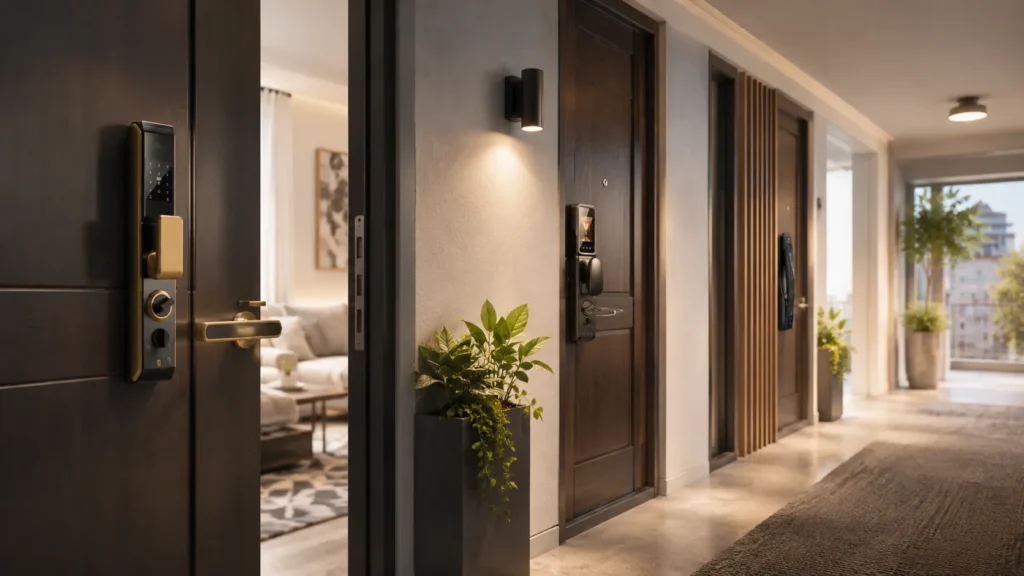
Keyless entry for apartments works in two very different ways: a building-wide access control system managed by property owners, or a unit-specific smart lock that a renter or unit owner installs themselves. This guide covers both, helping you understand which hardware fits your situation and what features actually matter.
For building-wide deployments, an apartment access control system integrates common areas, gates, and individual unit doors. For a single door, a standalone smart lock gives you keyless entry without touching the central building infrastructure.
Identifying Your Needs: Building-Wide vs. Unit-Specific Entry
Building-wide systems are for property owners and managers who need to control access across an entire property. Unit-specific locks are for individual doors—typically installed by renters, condo owners, or owners handling a single unit.
A building-wide access control system usually ties together hardware for the main entrance, elevators, gyms, parking gates, and common doors. A unit-specific lock focuses on just one door and often runs independently, without linking to a central management dashboard. Which one you pick changes everything from installation method to daily management style.
Buyer note: If you manage a property, start by defining how many entry points you actually need to secure; if you rent, your options will be limited by what the landlord allows.
Comparing Keyless Entry Technologies
The best entry technology depends on your main priority: keypads for simplicity and cost control, RFID fobs for high-traffic durability, mobile apps for modern convenience, or biometrics when access needs the tightest restriction.
| Technology Type | Security Level | Ease of Management | Typical Use Case |
|---|---|---|---|
| Keypad (PIN Code) | Medium—codes can be shared | Easy; no extra hardware to distribute | Unit doors, short-term rental turnover, guest access |
| Mobile App (Bluetooth/Wi‑Fi) | High—encrypted phone-based credentials | Moderate; requires app setup and connectivity | Residents who want remote unlock, shared access, and activity logs |
| RFID / Fob / Key Card | Medium‑High—fobs can be deactivated remotely | Very easy; fobs are durable and quick to issue | High-traffic building entrances, gyms, parking gates, staff areas |
| Biometric (Fingerprint / Face) | High—hard to duplicate | Moderate; enrollment per user, weather sensitivity | Restricted areas, high-security unit doors, server rooms |
Security level and management complexity depend on the specific hardware model and installation environment. Always request current specification sheets and test one unit before scaling up.
Many apartment properties mix these technologies—fobs for the main entrance and keypads on individual units, for instance. Compare door access control systems and electronic access control options if you need a building-wide layout that combines multiple credential types.
Benefits for Property Managers and Owners
Keyless entry directly reduces the two biggest operational headaches: rekeying costs during tenant turnover and lockout calls from residents who lost a physical key. What used to require a locksmith and a new set of keys can now be handled in seconds from a dashboard.
- No more physical keys: When a tenant moves out, you simply revoke their fob or deactivate their access code. No cutting new keys, no replacing cylinders.
- Instant maintenance access: Assign temporary codes or schedule-specific permissions for maintenance crews, housekeeping, and contractors—no need to meet them or hand off a physical key.
- Audit trails: Many systems log exactly who accessed a common area and when, which helps resolve disputes and improve security monitoring.
- Property value and appeal: A professionally installed keyless system signals modern management; in competitive rental markets, keyless entry can support higher rent expectations.
- Lower insurance risk: Some insurers look more favorably on properties with documented access control; verify whether your provider recognizes this when evaluating your coverage.
For a deeper look at matching hardware to a multifamily property, our guide on choosing smart locks for apartment buildings walks through installation types, connectivity, and management software considerations.
Renter-Friendly Keyless Options: What Tenants Should Know
Renters should prioritize retrofit smart locks—units that replace only the interior thumb-turn without altering the exterior deadbolt. A retrofit lock keeps the original keyway and the building’s master key system intact, so you stay lease-compliant and avoid losing your security deposit.
These locks usually install in minutes with a screwdriver, and they let you keep the existing exterior hardware. You get all the daily convenience of keyless entry without creating a conflict with the property owner.
- Temporary codes: Give a one-time or time-limited PIN to a pet sitter, house sitter, or visiting family member, then delete it when they leave.
- Auto-lock and notifications: Many retrofit locks confirm whether the door is locked from your phone, so you stop second-guessing yourself after leaving the apartment.
- Low-profile install: Because the outside doesn’t change, neighbors and management won’t notice anything different.
Buyer note: Always read your lease closely. Some agreements explicitly forbid any lock modifications, even interior-only ones. Get written landlord approval before purchase, and be prepared to restore the original thumb-turn when you move out. For renter-friendly options, bluetooth smart locks for apartments often avoid complex wiring and work directly from your phone. Smart key lock technology has also matured to support retrofit designs that maintain physical key backup.
Checklist for Selecting an Apartment Entry System
Use this checklist to compare models and avoid the most common specification gaps. Confirm each point with the manufacturer or supplier before placing an order.
- Power source: Does the lock run on standard AA or lithium batteries? What is the expected replacement cycle, and is there a low-battery warning? Hardwired options exist for some building-wide systems.
- Connectivity: Does it rely on a Wi‑Fi bridge, a central cellular gateway, or direct Bluetooth? Wi‑Fi offers remote management but drains batteries faster. Bluetooth is more battery-friendly but may limit remote functions without a hub.
- Weather rating: For any exterior gate, parking entrance, or main building door, the hardware must have a tested IP rating for dust and moisture. Indoor unit locks can tolerate a lower rating.
- Software integration: Building-wide systems should connect to your property management platform. Even unit-specific locks can work with smart home hubs if that matters to residents.
- Physical backup: Is there a hidden key override, a 9V jump-start port, or a mechanical release if the electronics fail? This is especially important for main entry points.
For larger properties, you may also need to evaluate commercial access control locks that handle a high volume of daily cycles and integrate with centralized management dashboards.
Pro tip: When selecting a building-wide system, ask the supplier if it integrates with property management software like Yardi, Entrata, or AppFolio. Integration eliminates duplicate data entry and makes onboarding new residents automatic.
Navigating Lease Agreements and Compliance
Property owners and managers must ensure any electronic lock on a rental unit meets local fire and life-safety codes. This typically means the door must allow free egress (one‑motion exit) from the inside at all times—being locked from the inside without a key or code is almost always prohibited in rental situations. Verify your model’s exit mechanism with the local authority having jurisdiction before installation.
If you are a renter, treat “return to original state” as your main responsibility. Keep all original hardware, label the parts, and store them safely. When your lease ends, swap back to the original lock. This simple step prevents unnecessary deductions from your security deposit.
Privacy is another point to address early. App‑based entry logs can show timestamps of who came and went. For building-wide systems, the property manager typically sees this data for common areas, but unit‑level tracking should be disclosed to tenants. A transparent conversation about what information is collected and who can view it builds trust and avoids friction later.
Finding the Right Fit for Your Apartment
Whether you oversee a 50‑unit building or live in a single apartment, start small. For property managers, a pilot program on one floor or a single common entrance reveals real‑world reliability, connectivity quirks, and resident feedback before a full rollout. For renters, buy one well‑reviewed retrofit lock, test it for a month, and only then expand to other doors if you need to.
Managers should look for scalable systems that allow you to add doors and credential types without ripping out the backbone. Renters should prioritize locks with consistently high ratings for app reliability and battery life—those two factors define the daily experience more than any extra smart‑home integration.
Ready to explore your options? Browse Gove’s keyless entry solutions to compare building‑wide systems and renter‑friendly retrofit locks backed by manufacturer support.
Frequently Asked Questions
Can I install a keyless lock if I rent?
Yes, but only if you use a retrofit model that does not change the exterior hardware, and only after you have written permission from the property owner. Most leases require you to restore the original lock before moving out.
What happens to a keyless system if the power or Wi‑Fi goes out?
Most modern locks store credentials locally and still operate via Bluetooth or a keypad during an outage. The bigger question is whether the lock is set to “fail‑secure” (stays locked) or “fail‑safe” (unlocks), a setting you should confirm with the installer so it matches your building’s safety plan.
How long do batteries usually last in an apartment smart lock?
Battery life typically falls between 6 and 12 months, depending on usage, lock type, and whether the lock uses Wi‑Fi (which draws more power) or only Bluetooth. Many locks send a low‑battery alert weeks before they need replacement.



