
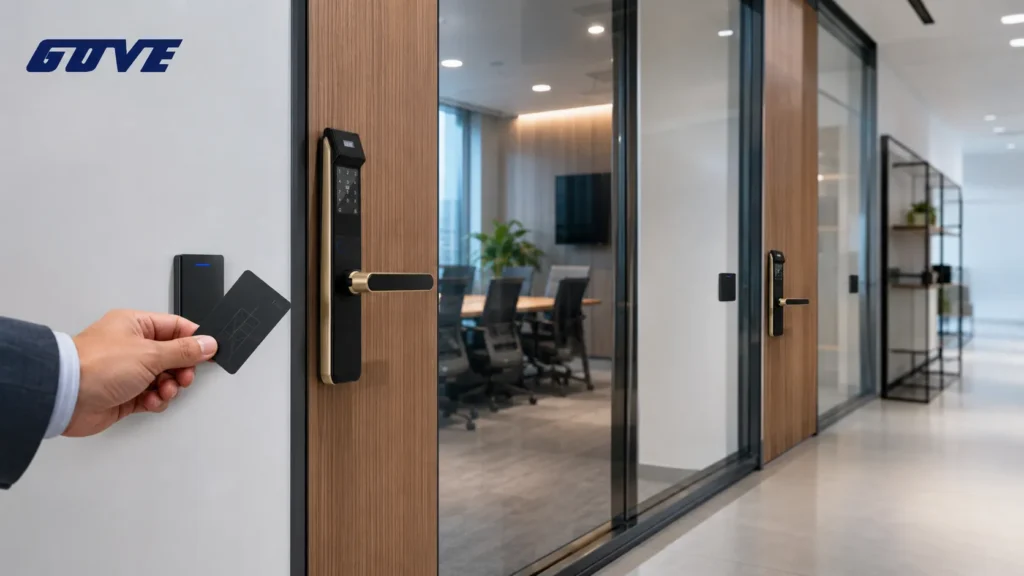
Most RFID smart lock for office projects stumble on the first decision: standalone units that manage credentials locally at the door, or networked systems that centralize control across the building. The right direction depends on how many doors you manage and how frequently your staff list changes. Use this quick decision checklist to zero in before comparing specs.
- Your scale is 1–3 doors and under 30 users. Standalone locks avoid wiring and cloud subscriptions. Expect to manage access physically with a programming fob or keypad.
- You run 4+ doors or 30+ users with frequent onboarding. A networked system saves hours of walking the floor. Central dashboards handle bulk changes and instant revocations.
- You need remote lockdown, audit trails, or HR integrations. Only a networked platform can deliver these with reliability.
- Your building limits cabling. Wireless bridges and battery-powered standalone locks keep costs down but require regular battery swaps.
Choosing Your Architecture: Standalone Smart Locks vs. Networked Systems
This single decision determines whether you’ll spend your afternoon updating fobs at each door or approving access from a browser. The distinction isn’t about technology superiority—it’s about administrative burden at your specific scale.
When Standalone Locks Deliver Enough Control
A standalone RFID smart lock for office runs on batteries and stores authorised credential IDs in onboard memory. Adding a user means holding a programming card near the reader. Revoking access usually requires deleting the ID at the lock itself.
For a law firm with five partners and a rotating receptionist, that workflow is tolerable. The lock stays offline, so no Wi‑Fi dependency and no recurring cloud subscription.
- Best for single‑point entry doors with limited headcount.
- Installation mirrors a heavy‑duty deadbolt—no structured cabling required.
- On‑device audit trails seldom exceed the last few hundred events.
Why Networked Systems Become Essential at Scale
Once you cross roughly 30 users—or when staff join and leave monthly—a commercial access control lock that talks to a central controller saves real labour. Networked systems use PoE‑powered controllers or wireless hubs that sync credential changes instantly across doors.
A single dashboard can bulk‑import employee badges, assign time‑restricted schedules, and generate user audit trails for compliance reporting.
- Revoke one badge and it stops at every door within seconds.
- Integration with Active Directory or HR systems prevents orphaned credentials.
- Fail‑over caching keeps doors functioning even if the network drops temporarily.
Technical Comparison: RFID Frequencies and Security Levels
Office buyers often overlook the chip inside the credential, yet frequency choice directly impacts cloning risk and compatibility with existing ID badges. The table below groups the three most common RFID technologies you’ll encounter in commercial keyless entry system projects.
| Frequency | Security Level | Typical Office Use Case | Cloning Risk |
|---|---|---|---|
| Low Frequency (125 kHz) | Proximity cards / fobs without encryption | Legacy HID Prox, EM4100 fobs; often used for parking gates or older office locks | High—readers are widely available; cloning tools cost under $20 |
| High Frequency (13.56 MHz / NFC) | Mifare Classic / DESFire / HID iCLASS with mutual authentication and AES encryption | Corporate badge for office, server room, and turnstile access | Very low with DESFire EV3/Seos; Mifare Classic still crackable if keys are default |
| Ultra‑High Frequency (860–960 MHz) | Read range up to 10 m; often no encryption by default | Vehicle gate entry or asset tracking—rarely used for office door handles | High unless custom crypto layer is added |
Above benchmarks are based on common deployment patterns. Before committing to a credential type, ask the manufacturer for the exact chip series and its EAL or CC certification level.
Low Frequency (125 kHz) – The Legacy Standard
Low‑frequency proximity cards are the “WEP‑era” of access control. They transmit a static ID when powered by the reader’s field, with no cryptographic challenge.
An office that migrates from a 15‑year‑old HID Prox setup may be tempted to buy matching LF readers for continuity. The cost is low, but the security debt is real: one lost fob can be cloned in seconds. If you must retain LF for a transitional period, pair the lock with a PIN‑or‑biometric secondary factor.
High Frequency (13.56 MHz) and NFC – The Modern Choice
For any new office deployment, high‑frequency is the baseline. Mifare vs HID iCLASS SE/Seos platforms use AES‑128 or better, and modern readers support encrypted credentials that rotate session keys.
NFC‑capable HF readers also let employees tap an Android phone or iPhone (via Apple Wallet) as a virtual badge—an elegant way to eliminate physical fob replacement cost. A multi‑technology reader that reads both LF and HF can ease the transition from legacy badges to secure smart cards without a rip‑and‑replace weekend.
Management of User Credentials and Access Rights
The administrative overhead of key distribution is what usually drives offices towards RFID in the first place. A properly specified lock should allow instant de‑provisioning of users without touching hardware or re‑keying cylinders.
Four Capabilities That Separate Office‑Ready Locks from Residential Gadgets
How the lock handles the following scenarios tells you whether it’s truly office‑ready:
- Bulk onboarding. During a new hire class, the system should ingest a CSV of employee badge IDs or sync with an LDAP directory. Standalone locks that require sequential tapping of fobs at the reader for every new user fail this test quickly.
- Time‑based scheduling. Cleaning crews need access only from 6–9 PM. Interns shouldn’t unlock the server room at all. Cloud‑based access management platforms apply these rules instantly across zones, while standalone locks often limit you to broad time‑window settings buried in programming menus.
- Audit trails with tamper‑proof timestamps. When a laptop goes missing, the office manager must see who accessed that door and when. Networked locks log events to a secure server; standalone models typically keep a small onboard record that overwrites after 500–1,000 events.
- Visitor digital keys. Temporary codes or single‑use mobile passes prevent the awkward habit of loaning a fob to a contractor. The best systems expire access automatically at a set hour and email the office manager a receipt of use.
If your office already uses proximity cards for corporate ID, confirm whether the lock’s reader supports the exact chip (e.g. HID iCLASS SE or Mifare DESFire EV2). A mismatch at the frequency level will force a parallel credential population and kill the convenience benefit.
Commercial Durability: Grade 1 vs. Grade 2 Ratings
ANSI/BHMA 156.25 ratings separate a Grade 1 commercial lock from a residential smart deadbolt that happens to accept a card. Grade 1 locks must survive 800,000 cycles under load; Grade 2 passes at 400,000 cycles; Grade 3 (residential) at 200,000.
What Cycle Ratings Mean for Your Doors
An office entrance that swings 50 times per day clocks 100,000 cycles in under six years—comfortably within a Grade 2 envelope. A high‑traffic front entry or restroom corridor, however, can exceed 200,000 cycles in three years, pushing you into Grade 1 territory. The lock body and motor see more abuse than the reader, so overspecifying the mechanical grade avoids mid‑life failures.
Material Choices for High‑Traffic Handles
Zinc alloy mortise bodies are common at the $300–$500 price point and perform adequately for interior office doors. High‑footfall exterior doors benefit from stainless‑steel latch bolts and reinforced spindles.
When comparing spec sheets, ask for the rated operating temperature range; a lock that seizes at −10°C will create a service call in a Chicago winter loading bay.
Critical Checklist: Office Compatibility and Fire Codes
Compliance is the non‑negotiable filter that removes 80% of consumer‑grade smart locks from the office shortlist. Run through these checks with your facility manager or locksmith before shortlisting any model.
The Non‑Negotiable: Egress and Fire Safety
- Free egress always. The lock must allow a single motion to exit—typically a lever handle or push bar—without any credential, code, or power. Locks that require a twist‑and‑pull or a button hold violate NFPA 101 life safety codes.
- UL‑listed for fire doors. If the door carries a fire rating, the lock must appear in the door manufacturer’s listing or be UL 10C‑listed for the same rating. Using a non‑listed lock on a fire‑rated door voids the assembly’s certification.
- Door type and prep. A mortise lock body fits commercial aluminium storefront doors with a 2‑1/8″ edge prep; a cylindrical/ tubular lock suits standard wood or hollow‑metal doors. Glass doors often require electronic strikes for offices paired with a credential reader on the wall.
- Fail‑safe vs. fail‑secure on electrified trim. Fire‑rated stairwell doors must fail‑safe (unlock when power drops). A server room door typically stays fail‑secure. An RFID lever with an integral electric strike must be wired accordingly—battery‑only standalone locks cannot provide true fail‑safe operation.
- Interoperability with the fire alarm panel. Networked systems should accept a dry‑contact input from the fire alarm to automatically unlock designated egress doors during an alarm event.
Feature Comparison: Standalone vs. Integrated Systems
Beyond the architecture decision, the feature gap between a local‑only lock and a platform‑connected system dictates daily frustration or flow. Use this matrix as a procurement checklist when comparing proposals.
| Feature | Standalone RFID Lock | Integrated Access Control System |
|---|---|---|
| Remote lockdown capability | Not available; requires physical interaction | One‑click building lockdown from dashboard or mobile app |
| Battery life (typical) | 8–12 months with 10 actuations/day | PoE‑powered or DC‑bus; battery backup only for offline cache |
| API / HR system integrations | None | REST APIs, Active Directory bridge, HRIS connectors |
| Per‑door hardware cost (ex installation) | $300–$800 | $1,200–$2,500 (controller + reader + lock body) |
| Installation complexity | Locksmith or skilled maintenance staff; 1–2 hours per door | Low‑voltage electrician required for cabling; 4–8 hours per door |
| Ongoing subscription | Generally none | Cloud platform fee ($3–$15/door/month) or on‑prem server licence |
Total Cost of Ownership: When Integration Becomes the Economical Choice
Total cost of ownership shifts at roughly the 4‑door mark. Below that, standalone locks avoid the initial wiring premium. Above it, the administrative savings of central control quickly outpace the subscription cost.
Ask integrators for a five‑year TCO model that accounts for credential replacement, lock battery changes, and IT support hours. A networked system with fewer on‑site maintenance visits often pays back within two years.
Making the Final Selection: A 3‑Step Decision Framework
At this stage, the spec sheet options can become a blur. Return to three business‑grounded questions to eliminate mismatched products.
Step 1: Count Doors and Users (Scale Check)
If you’re securing a single main entrance for a team of 12, a standalone HF RFID lock with mobile‑credential support is likely the sweet spot. Multi‑tenant floors with shared conference rooms push you squarely into networked territory.
Step 2: Audit Your IT Infrastructure
Can you run Cat6 to each door, or does the building limit you to wireless? Wi‑Fi‑enabled locks with a bridge hub reduce cabling but require regular battery changes and may introduce latency. Power‑over‑Ethernet locks deliver constant energy and instant state changes at the cost of structured cabling.
Step 3: Verify Compliance Requirements
Any door on a fire‑rated assembly or required egress path demands fail‑safe wiring and UL listing. Without that, even the most secure encryption algorithm is irrelevant—the fire marshal will require you to tape the latch open during a walk‑through.
Ready to Secure Your Workspace?
A successful office RFID rollout depends less on the lock than on having the right door hardware information at hand before ordering. Gather these details and you’ll avoid the most common procurement mistakes.
- Exact door thickness and backset measurement (2‑3/8″ or 2‑3/4″ standard).
- Existing mortise or cylindrical prep; photo of the edge of the door with the door open.
- Number of doors to be secured and their fire‑rating labels.
- Desired credential format: whether you’ll carry over existing HID iCLASS cards or start fresh with MIFARE DESFire.
- Network availability at each door (Ethernet, Wi‑Fi signal strength, or willing to use a wireless bridge).
- Any requirement for enterprise access control solutions integration—HR sync, visitor management, or alarm panel interface.
Our commercial team can walk you through a RFID smart lock for office configuration that matches your door hardware and compliance requirements, or provide a multi‑door quotation with lead times. View our commercial RFID lock catalog or reach out for a no‑obligation security needs assessment.
Frequently Asked Questions
What happens to the RFID lock if the office power or Wi‑Fi goes out?
Battery‑powered standalone locks continue to operate; they draw from 4–8 AA batteries and the credential database lives on‑board. Networked locks with PoE power often include a battery or supercapacitor backup that keeps the local cache alive, so the reader still validates the last‑synced user list. A power loss will interrupt remote management and live audit logging until the network restores, but doors remain secure and accessible to valid credentials. For full fail‑safe operation on fire doors, a wired power supply with battery backup is the only code‑compliant path.
Can we use our existing employee IDs with a new RFID smart lock?
It depends on the frequency and chip protocol of your current badges. Many corporate IDs are 13.56 MHz MIFARE or HID iCLASS. If you install a multi‑technology reader that supports both HF and LF, you can read older 125 kHz Prox cards alongside modern smart cards. The safer path is to ask the lock manufacturer for a “card compatibility list” and test a sample badge before bulk ordering readers. Some platforms also let you issue virtual credentials via mobile wallets without replacing physical badges.
Are RFID fobs more secure than keypad codes?
The weakest link in a keypad code is human behaviour: codes get shared, scribbled on sticky notes, or filmed by a doorbell camera. A lost fob can be deactivated instantly in a managed system, while changing a compromised code requires telling everyone the new numbers. From a cryptographic standpoint, encrypted credentials on DESFire or Seos fobs resist cloning in a way that digits never will. A combined approach—fob plus PIN—provides two‑factor assurance for sensitive rooms like IT closets or finance suites.



