
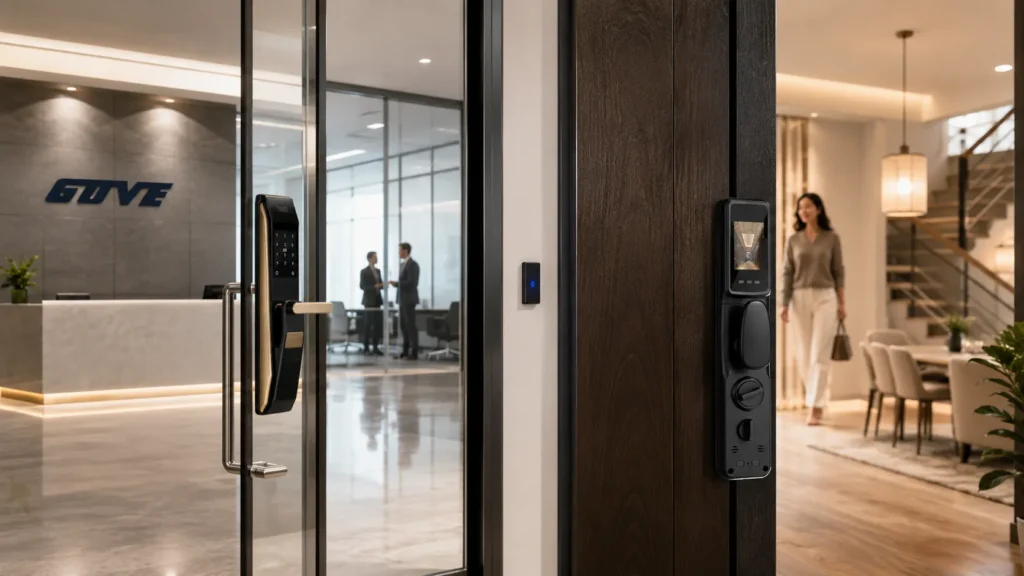
Picking the right smart lock for apartment buildings depends entirely on whether you own the door or just the lease. A renter needs a lock that fits over the existing hardware; a property manager needs a system that coordinates dozens of doors.
- Renters: Choose a no-damage retrofit lock that keeps the exterior keyhole and landlord access intact.
- Property managers: Select an access control system that integrates with your property management software (PMS) and automates turnover.
The sections below separate the two paths so you can move forward with confidence, whether you need a single retrofit kit or a building-wide keyless entry system for apartments.
The Decision Matrix: Upgrading One Door vs. The Whole Building
A tenant eyeing one unit and a manager responsible for 50 doors are solving different problems. The tools each can reach for are different, too.
For Renters: The Retrofit Constraint
Your lease almost certainly forbids changing locks. That rules out drilling, deadbolt replacement, and exterior alterations. Only interior thumb-turn adapters and no-drill brackets keep you safe.
A renter-friendly lock must do three things without compromise:
- Fit over the existing hardware without drilling or permanent modification.
- Preserve the original key cylinder so the landlord’s master key still works from outside.
- Come off clean in under ten minutes when your lease ends.
If a lock makes the outside of the door look different, the property manager may demand removal and charge at move-out. Keep the original key and the factory appearance intact.
For Property Managers: The Ecosystem Requirement
Managing a building isn’t about one smart lock. You need an apartment access control system that handles high turnover and maintenance access without a single physical key handoff.
The lock hardware itself is secondary. What matters is the cloud dashboard and the API that connects everything. Start with these questions before looking at a single lock model:
- Does the system natively integrate with our PMS? Yardi, RealPage, Entrata, and similar must sync move-in/move-out dates automatically.
- Can we issue and revoke digital keys instantly for contractors, cleaners, and self-showings?
- Does it support bulk credential management so you’re not programming fobs one by one during peak turnover?
- Is there an audit trail that logs every entry for liability and security?
A standalone smart lock that works fine for a single-family home will create chaos when you onboard 20 new residents in August. The first filter is always the PMS integration, not the design.
Top Retrofit Smart Locks for Renters (No-Damage Solutions)
Most renter-friendly options replace only the interior thumb-turn. They attach with an adapter bracket, leaving the outside keyhole untouched. That keeps the landlord’s master key functional and the exterior finish unaltered-exactly what you need to stay lease-compliant.
The table below compares retrofit installation approaches, voice assistant support, battery life, and the one feature that decides landlord acceptance: retaining the original physical key.
| Installation Type | Voice Assistant Support | Battery Life (Typical) | Exterior Key Retention |
|---|---|---|---|
| Interior thumb-turn adapter (clamp/bracket) | Alexa, Google Assistant, HomeKit (via Wi-Fi bridge) | 6-8 months (4×AA) | Yes – uses existing key cylinder |
| Surface-mount motor on interior escutcheon | Alexa, Google Assistant (Bluetooth + optional Wi-Fi) | 3-6 months (proprietary rechargeable) | Yes – key override on exterior remains |
| Stick-on lock adapter (no screws) | Alexa, Google Assistant | 8-10 months (2×CR123) | Yes – zero exterior change |
All these approaches are renter-friendly smart locks that stay completely within the interior footprint. The exterior deadbolt ring, keyway, and finish remain factory-stock, so the building owner’s master key works every time.
Key Features to Look For in a Renter Lock
You trade some polish for flexibility, but the right model still covers the essentials. Before you order, run through this checklist:
- No-drill install: The lock must use the existing deadbolt collar and thumb-turn spindle. If the instructions ask for a drill bit, put it back in the box.
- Physical key override intact: The landlord’s master key must still work from the outside. The adapter must not block the key cylinder or change the key profile.
- Auto-lock and DoorSense: Models that detect door position and auto-lock after a set interval reduce the “did I leave the door open?” worry common in multifamily units.
- Move-out removal in 10 minutes: You should be able to unscrew the adapter, replace the original thumb-turn, and leave zero evidence of installation.
- Battery level alerts: Low-battery warnings via app and a physical backup key path prevent lockouts. Check that battery replacement is tool-free.
Finally, verify that your door’s deadbolt thumb-turn shape matches the adapter. Fluted ovals or recessed collars often need a specific kit. If the thumb-turn isn’t a standard flat bar, contact the lock supplier before buying.
Enterprise Access Control Systems for Property Managers
When you’re responsible for 20, 50, or 200 doors, the calculus changes. Every rekeying, lost key, and turnover event chips away at NOI. A building-wide keyless infrastructure pulls that cost to near zero and gives you an audit trail for every entry.
The table below shows how large-scale systems compare on the dimensions that property managers actually care about.
| PMS Integration | Cost Per Unit (Typical Range) | Intercom Sync | Access Methods |
|---|---|---|---|
| Yardi, RealPage, Entrata API-ready | $300-$500 per door (hardware + install) | SIP or cloud API to building intercom | PIN, RFID fob, mobile app, Apple Wallet |
| Custom PMS integration via middleware | $400-$600 per door | Cloud bridge required for intercom | Mobile app, BLE key, PIN |
| Light PMS sync (CSV import/export) | $250-$400 per door | Not supported natively | PIN, fob, optional mobile |
These figures are real-world ranges. Exact pricing depends on door type, communication protocol, and installation volume. Always run a site assessment before comparing numbers on a spreadsheet.
Software Integration Over Hardware
The lock itself is a commodity. What you are really buying is the cloud platform that provisions a credential, revokes it, and logs the event. A system that doesn’t talk to your PMS doubles manual data entry and creates sync errors when a resident moves out on the 31st.
Integration that works means a new resident’s move-in date in Yardi automatically activates their mobile key. That’s the bar. Anything less and you’re still programming key fobs by hand. Before engaging a vendor, demand answers to these points:
- Which PMS versions and modules are supported? Get a written list. Even widely advertised integrations can break with custom database fields or older Yardi modules.
- Is the integration real-time or batch-sync? Real-time prevents a move-out delay where a former tenant still has access for hours after the lease ends.
- How does the system handle fallback if the PMS connection drops? Credentials must still be revocable locally; audit data should queue and sync later.
- Can we test the API with our own sandbox environment? A live 30-day pilot on one floor is the only way to uncover sync gaps before scaling.
Automating Turnover and Maintenance
Between tenants, a property manager might need to grant access to a cleaner, a painter, a photographer, and two inspectors-all within 48 hours. A system that supports time-bound, one-time, and schedule-recurring digital keys removes dozens of calls and key handoffs from that week.
Typical turnover tasks the system should handle without manual intervention:
- Move-out day: Resident’s credential automatically expires at noon, apartment manager and maintenance gain access.
- Vendor windows: Painter gets a 9-am-to-5-pm key valid only Monday-Wednesday; cleaner gets a recurring Wednesday morning slot.
- Self-tours: Prospective tenants receive a temporary mobile key linked to their showing appointment. The key deactivates automatically afterward.
- Emergency maintenance: A plumber gets a one-time code that works for 60 minutes and is logged for audit.
Self-tour capabilities also increase leasing velocity. Prospect can view a unit without a leasing agent on-site, reducing staffing cost and allowing showings outside office hours. Confirm that the system can limit self-tour access to only vacant units and common areas, never occupied apartments.
Installation and Legal Considerations
Before you buy anything, nail down the rules. Both renters and building owners face compliance barriers that can turn a quick upgrade into a fire code violation or a lease termination.
Tenant Lease Agreements and Alteration Clauses
Most standard leases prohibit modifying door hardware. Even a no-drill retrofit can be considered an alteration if it changes the exterior appearance or blocks key access. Protect yourself with these steps:
- Get written permission: Email your landlord or management office, describe the lock, and confirm it leaves the exterior unchanged. Print and keep that email.
- Reference the lease clause: Quote the exact section that governs alterations so there’s no ambiguity.
- Keep the original thumb-turn: Store it in a drawer. Reversing the installation on move-out day should take under ten minutes.
- Never block the keyhole: The lock must never prevent emergency key access from outside. If a motor adapter covers the keyway, it’s a liability.
Also, if your building has a concierge or maintenance staff, let them know you installed a retrofit. That avoids a panicked call when someone sees a new interior device.
Building Fire Codes and Egress Rules
For property managers, egress is non-negotiable. A smart lock must allow one-motion exit without a key, code, or app. Any locking device that requires two actions to leave from the inside likely violates local fire and life safety codes. Confirm these points before specifying hardware:
- Single-motion egress: The lock must unlatch with one hand in one motion. No turning a deadbolt then pulling a latch. Verify with your local fire marshal.
- ADA compliance: Access control at common doors must meet reach range and operating force requirements. Keypads and lever handles need to be operable with one hand.
- Stairwell and hallway doors: Mean-of-egress doors often fall under special codes that restrict locking from the stairwell side. Consult a code advisor before putting smart locks on those doors.
- Battery fail-safe: Many jurisdictions require that the lock fail unlocked on loss of battery power in an emergency. Check whether a mechanical key bypass satisfies that requirement or if an additional fail-safe is needed.
Always walk the property with your fire marshal or a licensed life-safety consultant. A written approval after inspection is the strongest defense against liability.
What to Verify Before Final Selection
You’ve narrowed the list. Now pause and confirm a few details that cost nothing to check but can save an expensive return or rollout delay.
For Renters: Confirm Door Fit and Wi-Fi Reach
Retrofit adapters are precision-fit. Before ordering, measure and test the following:
- Door thickness: Most adapters require a door between 1-⅜″ and 2″. Measure yours with a ruler or caliper.
- Thumb-turn shape: Is it a flat bar, fluted oval, or recessed collar? Some adapters only grip standard flat spindles. Send a photo to the lock supplier if you’re unsure.
- Wi-Fi signal strength: Test your phone at the front door. If the video stream stutters, the lock’s remote features may be unreliable. A Wi-Fi bridge or an Ethernet-connected hub can help.
- Move-out reversal plan: Can you remove the adapter and reinstall the original thumb-turn without tools beyond a screwdriver? Practice once to be sure.
For Property Managers: Run a PMS Compatibility Pilot
Before committing to a building-wide rollout, verify that the lock system works under real operating conditions:
- API endpoint test: Ask the vendor to connect to a sandbox or a dedicated test property in your PMS. Confirm that resident creation, move-out date updates, and key revocation all sync correctly.
- 30-day pilot on one floor: Include one resident move-out, one maintenance access event, and a fire-alarm test to observe system behavior outside of a demo.
- Check battery and signal reports: Dead batteries or weak Zigbee/Z-Wave mesh can brick a lock silently. Verify that the dashboard alerts you before a lock fails.
- Confirm emergency egress procedure: Walk the pilot floor with a fire marshal to validate one-motion exit and fail-safe behavior.
- Review billing and support terms: Are firmware updates included? What is the SLA for lock replacement on a tenant complaint? Get these in writing.
If you need a single retrofit kit that respects the lease, Gove’s no-drill smart locks for renters are built around the interior-only design that property managers accept.
And if you’re evaluating building-wide access, our multifamily access control hardware works with PMS integration requirements from day one. Both paths start with a sample test; we recommend installing one unit in a real apartment door before committing to a larger order.
Frequently Asked Questions
What happens to a smart lock if the power or Wi-Fi goes out?
Most rental-optimized and enterprise locks run on batteries, so a power outage doesn’t disable them. During a Wi-Fi loss, the lock typically maintains Bluetooth or NFC local entry: your phone or a backup PIN code still opens the door.
Audit logs sync once the connection returns. Always confirm that a physical key backup exists, even if you never plan to use it.
Can my landlord still get in if I install a renter-friendly smart lock?
Yes-and that’s the whole point. Retrofit locks mount entirely on the interior side and leave the exterior key cylinder untouched. The landlord’s master key works exactly as before, and the lock motor simply turns the existing thumb-turn. Emergency access from the outside is not obstructed.
Are enterprise smart locks secure enough for a whole building?
When deployed correctly, they are often more secure than traditional keys. Digital credentials can be revoked instantly, eliminating the risk of a lost key or an uncleared employee.
Most enterprise systems use AES-128 or AES-256 encryption for credential transmission, and the lock hardware meets grade 1 or grade 2 BHMA standards. The weak point is rarely the crypto-it’s a resident writing a PIN on a sticky note.



