
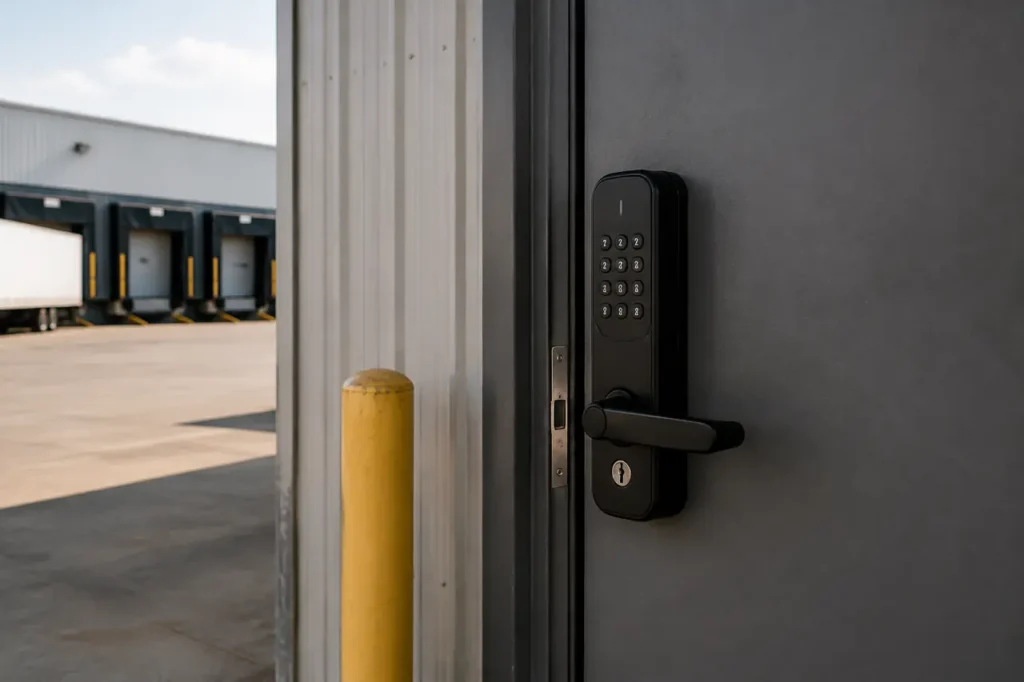
Warehouse operations present unique physical and operational demands, balancing high staff volume, rotating shifts, third-party freight traffic, and active loading bays with strict loss-prevention requirements.
Selecting an industrial-grade smart lock for warehouse entries means aligning heavy-duty mechanical hardware with cloud-based software management-not relying on residential electronic deadbolts that lack fatigue resistance for industrial doors.
Key Access Control Features for Warehouse Operations
A commercial warehouse environment requires access control that handles constant user turnover without creating security gaps or administrative bottlenecks.
Physical keys present severe loss-prevention risks when distributed across dozens or hundreds of employees, contract haulers, and maintenance crews.
Modern electronic access systems address this by decoupling physical door hardware from fixed mechanical keyways, enabling dynamic access management across the entire site.
- Remote Provisioning and Revocation: Facility managers can instantly issue timed digital credentials or PIN codes to temporary freight drivers, sub-contractors, and seasonal workers via cloud software, revoking access automatically upon shift completion or contract expiration.
- Multi-Credential Authentication: Versatile electronic locks allow users to gain entry using PIN passcodes, RFID/NFC smart cards, mobile app credentials via Bluetooth, or high-security physical key overrides for emergency backup. Deploying a unified smart door lock for business infrastructure streamlines credential provisioning across multiple facility zones.
- Granular Scheduling: Access rights can be restricted by time and door location. For instance, warehouse floor staff can be granted entry only during active shift hours, while logistics managers maintain 24/7 clearance.
- Unalterable Audit Trails: Comprehensive access logs track every lock and unlock event, recording the specific credential used, time stamp, and method of access. This log data is vital for internal audits, compliance reporting, and investigating inventory shrinkage or unauthorized entry attempts. Securing auxiliary spaces-such as server rooms or equipment closets-with a dedicated smart lock for maintenance access ensures that restricted utility spaces retain isolated audit histories.
Warehouse Access Verification Checks
Before locking into a cloud access platform, confirm these warehouse-specific requirements:
- Remote revocation: The system should allow instant access removal for terminated employees and temporary drivers without sending a technician to the door.
- Audit portability: Event logs should be exportable for loss-prevention reviews and HR or compliance investigations, not locked inside one app view.
- Credential fit: Matching credential types to real workflows-PINs for visiting drivers, cards or fobs for floor staff, mobile credentials for managers, and a physical key override for emergency access-reduces daily resistance.
Understanding ANSI/BHMA Ratings for Industrial Doors
Physical lock bodies are graded by the American National Standards Institute (ANSI) and the Builders Hardware Manufacturers Association (BHMA) to quantify their structural integrity, latch strength, operational life, and impact resistance.
Commercial warehouses subject door hardware to harsh daily abuse, including heavy slam impacts, high operational cycles, and forced entry attempts.
Specifying residential Grade 3 deadbolts on industrial doors frequently leads to mechanical latch failure within months.
When selecting smart locking hardware for commercial facilities, adherence to global smart lock security standards ensures the lock body can endure severe physical operational demands.
| Grade Standard | Testing Cycle Threshold | Physical Security & Impact Rating | Optimal Warehouse Placement |
|---|---|---|---|
| ANSI/BHMA Grade 1 | 1,000,000+ mechanical cycles | Maximum (Heavy latch bolt impact, pry resistant) | High-traffic perimeter doors, main personnel gates, loading dock side doors |
| ANSI/BHMA Grade 2 | 400,000+ mechanical cycles | Moderate to High (Standard commercial impact resistance) | Low-traffic interior offices, employee breakrooms, administrative zones |
Grade 1 hardware is constructed with solid steel chassis elements, heavy-gauge faceplates, and anti-friction latch bolts engineered for high-duty cycles. Grade 2 hardware offers sufficient durability for interior partitions but should not be relied upon for primary security perimeters or heavy steel exterior doors.
Grade Selection Check for Warehouse Doors
- Use Grade 1 on main entries, high-traffic employee doors, perimeter steel doors, and any door exposed to heavy mechanical abuse.
- Use Grade 2 for interior administrative zones, breakrooms, and low-traffic offices where door cycles are moderate.
- Reject Grade 3 hardware in warehouse door openings; if a quote includes Grade 3, request cycle-test documentation to confirm suitability for heavy industrial use.
Hardware Comparison: Choosing the Right Lock Type for Your Doors
Industrial facilities incorporate a variety of door constructions, from hollow metal steel exterior doors to aluminum glass storefront administrative entrances and emergency exit panic bars. Selecting the correct lock chassis ensures physical security, long-term alignment, and full compliance with local building and fire safety codes.
| Lock Chassis Type | Mechanical Strength | Fire & Egress Suitability | Optimal Warehouse Application |
|---|---|---|---|
| Mortise Lock | Highest (Pocket-mounted, heavy cast lock body) | Fire-rated door compatible | Perimeter hollow-metal doors, high-security inventory vaults, exterior side entrances |
| Heavy-Duty Cylindrical Lock | High (Bored cylindrical lock chassis) | Standard commercial interior doors | Interior partition doors, shift supervisor offices, supply rooms |
| Exit Trim / Panic Hardware Trim | High (Integrates with internal panic bar rod/latch) | Essential for single-motion emergency egress | Fire exits, rear loading bay exit doors, main assembly hall exits |
Fire Egress and Door-Type Red Flags
Matching lock hardware to structural door types requires evaluating both exterior entry requirements and interior egress rules:
- Mortise Smart Locks: Designed with a rectangular lock body installed directly into a carved pocket within the door edge. Mortise locks offer exceptional resistance to prying, kicking, and mechanical leverage, making them the preferred choice for main exterior perimeter doors.
- Smart Exit Trims (Panic Bars): Emergency fire exit doors require single-motion panic hardware (crash bars) on the interior to satisfy life-safety and fire code mandates. Installing a standard deadbolt on an emergency exit door violates life-safety codes. A commercial smart exit trim replaces the exterior lever or thumbturn, allowing keyless access from the outside while keeping the interior panic bar operating freely for immediate egress.
- Specialized Door Configurations: For customer-facing administrative entries or display rooms, deploying a smart lock for commercial glass door maintains narrow-stile door aesthetics without sacrificing keyless management. When securing wider material-handling corridors or staging bays, using specialized smart lock for double door options ensures proper vertical rod or double-leaf latch alignment.
Environmental Protection for Loading Docks and Exterior Bays
Loading docks and exterior logistics bays expose locking hardware to environmental stress factors far exceeding typical office environments. Wind-driven rain, airborne dust, pressure washing, vehicular vibration, and severe temperature fluctuations can degrade internal electronics and motor assemblies if the lock housing is inadequately sealed.
Commercial smart locks installed on exterior warehouse doors must feature an Ingress Protection (IP) rating of IP65 or higher. An IP65 rating verifies that the electronic housing is completely dust-tight and protected against water jets from any direction.
Internal electronic boards must be treated with conformal coating to prevent condensation buildup during rapid ambient temperature shifts, such as those encountered in cold-storage warehouses or northern climate loading docks during winter.
Sealed silicone or capacitive touch keypads prevent particulate accumulation around buttons, eliminating mechanical key jamming in dusty distribution centers.
Exterior Bay Installation Checks
- Verify the IP rating: Specify IP65 or higher for any smart lock mounted on a dock, exterior bay, or washdown area.
- Check conformal coating: Ask whether the lock’s internal board is coated against condensation and rapid temperature swings.
- Confirm keypad sealing: Sealed or capacitive keypads prevent dust pack-out and button jams in loading dock operations.
Integrating Smart Locks with Existing Facility Systems
Standalone smart locks managed via isolated mobile apps create administrative silos that become burdensome at scale. For large-scale industrial sites, electronic door locks should interface directly with central access control management systems, Building Management Systems (BMS), or Video Management Systems (VMS).
Integration Readiness Questions
Evaluating products from established commercial smart lock manufacturers ensures compatibility with open API platforms and standard wireless protocols (such as Wi-Fi, Z-Wave, or PoE gateways). Key integration elements include:
- Door Position Sensors (DPS): Internal or external magnetic door sensors monitor whether a door is physically latched or resting open. If a loading dock side door is propped open beyond a pre-configured time threshold, the system triggers an administrative alert to prevent unauthorized entry or HVAC energy loss.
- Video Management System (VMS) Linkage: Synchronizing smart lock audit trail timestamps with facility CCTV cameras enables automated video verification. Security personnel can view recorded camera feeds matching the exact second a specific credential activated an exterior lock.
- Centralized Alarm Integration: In the event of a facility lockdown or fire alarm trigger, connected access systems can automatically enforce restricted lock modes or release specific interior doors according to predefined safety protocols.
System Validation & Bulk Deployment Consultation
Deploying keyless access hardware across an industrial facility requires thorough site evaluation to prevent installation delays, hardware mismatches, or network connectivity gaps across extensive warehouse floor areas.
Pre-Deployment Verification Checklist
Recommended pre-deployment validation steps include:
- Conduct a Comprehensive Door and Hardware Audit: Document door material (steel, aluminum, wood), door thickness, stile width, frame type, and current latch hardware across all interior and exterior openings.
- Map Egress and Life-Safety Requirements: Verify which perimeter and interior doors function as designated emergency fire exits requiring Grade 1 panic bar exit trims.
- Evaluate Wireless Infrastructure: Perform an RF signal site survey to ensure robust Wi-Fi, Z-Wave, or proprietary gateway coverage near exterior doors, especially around dense metal shelving, high-density pallet racks, and metal cladding.
- Establish Credential Management Rules: Define access roles, shift schedules, administrative hierarchies, and audit logging requirements prior to onboarding staff onto cloud access software.
For facility managers and procurement teams planning multi-door upgrades or site construction, working directly with hardware engineers simplifies system configuration. Connect with Gove’s commercial technical consultants to request a comprehensive project quote, review door hardware compatibility specifications, and validate bulk deployment plans for your facility.
Frequently Asked Questions
What happens to a warehouse smart lock during a power or internet outage?
Commercial smart locks operate primarily on internal battery power (typically standard AA batteries or industrial lithium packs) or feature local battery backup systems on wired configurations. Cloud-managed locks store user credentials, PIN codes, and access schedules locally in non-volatile memory on the lock circuit board.
If a facility power failure or Wi-Fi network interruption occurs, the lock continues to validate authorized credentials and operate normally. Audit logs generated during an outage are cached locally and automatically sync to the management portal once network connectivity is restored.
Can I install a standard smart deadbolt on a warehouse fire exit?
No. National Fire Protection Association (NFPA) codes and local building regulations mandate single-motion egress for emergency exit doors.
This means an individual escaping a building must be able to unlatch and open the door in one continuous outward pushing motion, such as depressing a panic bar, without turning a deadbolt knob or operating multiple latches.
Installing a standard deadbolt on a designated fire exit is a critical safety violation. To secure emergency doors electronically, you must install a commercial smart exit trim engineered to work alongside approved egress panic hardware.



