
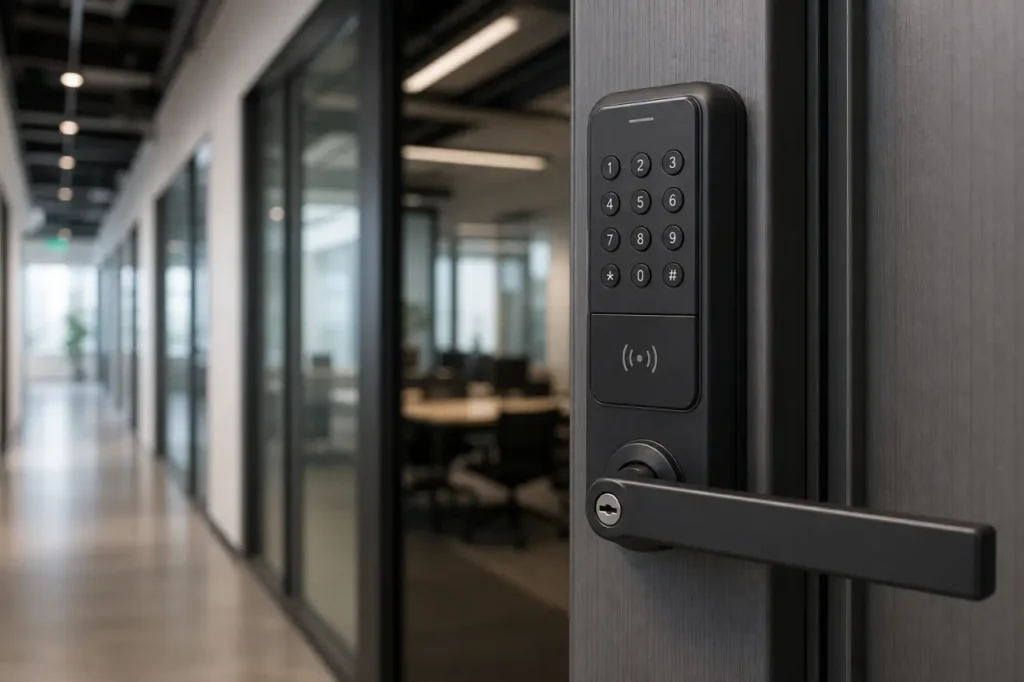
Three checks separate a commercial smart lock with audit trail from a consumer gadget: an uninterruptible Real Time Clock stamp, 24/7 commercial-grade durability, and local log retrieval that doesn’t depend on a cloud app.
If you need timestamped access proof for compliance or asset security, here’s how to match the right lock to every door, safe, and cabinet.
What is a Smart Lock Audit Trail and How Does It Work?
An audit trail is a timestamped digital record that logs exactly who accessed a lock, at what time, and via which credential method.
For a commercial buyer, this isn’t a convenience feature – it’s the only way to generate an evidence-grade access log when a key is missing, inventory is unaccounted for, or a compliance auditor asks for a report.
Two technical details separate a serious commercial audit log from a simple smartphone notification: a hardened Real Time Clock and predictable event capacity behavior. Without both, the log can’t be trusted in a dispute or an inspection.
The Mechanics of the RTC (Real Time Clock) Stamp
A Real Time Clock is a battery-backed clock embedded in the lock’s control board. It runs independently of the lock’s main power and keeps accurate time even if the lock loses power or the network goes down.
When a user presents a credential – a PIN, a fob, a fingerprint – the lock writes a record to internal memory with the credential ID, the action type, and the RTC timestamp.
A timestamp generated by a smartphone app or a cloud server can be delayed, missing, or mismatched to the actual access moment.
Always confirm the lock you specify has an onboard RTC, not just an app that shows a time-of-sync stamp.
Event Capacity Limitations (Why the 500-Event Rule Matters)
Every audit trail lock has a finite event log – typically 500, 1,000, or 2,000 events. Once the log fills up, the lock’s behavior changes. Some models overwrite the oldest entry without warning.
Others stop logging and flash a warning, effectively locking out users until the log is downloaded and cleared.
For a facility with 50 users who access a door 20 times a day, a 500-event cushion disappears within hours.
If your security policy requires a complete rolling record for 30 days, don’t assume the default log size is enough. Ask the supplier these three questions before ordering:
- What is the exact event log capacity for each lock model?
- When the log reaches capacity, does it overwrite silently or stop logging?
- Can you set a low-capacity warning, and how is it communicated to the administrator?
Commercial Lock Types with Audit Trail Capabilities
Audit trail hardware is not one-size-fits-all. The same access tracking software may serve a heavy commercial door, a financial safe, and a medical supply cabinet – but the lock mechanisms, log capacities, and retrieval methods differ sharply across form factors.
Understanding the three main physical formats prevents ordering a door lock for a locker, or a safe lock for a high-traffic entrance.
| Lock Type | Typical Event Log Capacity | Primary Access Methods | Primary Retrieval Method |
|---|---|---|---|
| Commercial Door Locks | 500-2,000 events | PIN, proximity card, fob, fingerprint | PC software (USB cable or wireless dongle), smartphone app |
| Safe Locks | 500-1,000 events | PIN, dual credential (PIN + key), manager override | PC software, dedicated audit key or interface |
| Cabinet / Locker Locks | 200-500 events | PIN, RFID card, smartphone app | Smartphone app or NFC read via administrator device |
Many facilities need a mix. A healthcare provider might use a cylindrical mortice latch door lock to secure a records room while small digital cabinet locks protect medication carts. When mixing lock types, match the hardware to the site needs:
- Door locks: high-capacity event log (1,000-2,000 events) and quick PC download for frequent audits
- Safe locks: dual-credential logging and a dedicated audit interface for high-value access
- Cabinet locks: 200-500 events, smartphone app read for weekly spot checks
Aligning lock type with traffic pattern and audit frequency avoids overspending and under-logging.
Best Smart Locks with Audit Trail Features (By Application)
The most reliable commercial locks with audit trails are built for heavy use and precise logging, without depending on consumer Wi-Fi bridges or cloud accounts.
Below are proven models across the three main application categories, compared by the specs a procurement team actually needs to verify.
Best for Commercial Doors: Trilogy T2 & Schlage CO-200
For main entrance doors, server rooms, and warehouse access points, these standalone cylindrical locks hold large event logs and let you download records locally.
The Trilogy T2 series carries up to 1,600 event logs with a real-time clock and lets you manage users and retrieve data via PC software.
The Schlage CO-200 combines PIN and proximity card access with a 2,000-event audit log. Managed with Schlage Utility Software, it’s a common choice for commercial keyless door locks in education and office environments.
Best for Financial/Retail Safes: LA GARD 702 Audit
The LA GARD 702 is a multi-user safe lock built specifically for high-value asset protection. It logs 500 events with an RTC stamp, supports dual credential access, and enforces a time delay on opening when configured.
For a bank, pharmacy, or jewelry retailer, the dual-credential requirement – such as PIN plus manager code – prevents a single compromised credential from granting access. Logs are retrieved via a dedicated audit interface.
Best for Medical & IT Lockers: Codelocks CL5000AT
For cabinets, lockers, and IT enclosures, a tubular mortice latch lock with audit trail works where a full-size door lock won’t fit.
The Codelocks CL5000AT uses a tubular latch, records individual code usage, and holds up to 500 events. A facility manager can walk up with a programming key and download logs on the spot.
It’s often specified for healthcare and education because it fits thin cabinet doors and still provides a tamper-proof access log.
| Model | Event Capacity | Access Methods | Software / App Requirement | Best Use Case |
|---|---|---|---|---|
| Trilogy T2 (DL2800) | 1,600 events | PIN, proximity | PC software (DL-Windows) | High-traffic office doors, warehouses |
| Schlage CO-200 | 2,000 events | PIN, proximity card | Schlage Utility Software | Classroom, storeroom, clinic doors |
| LA GARD 702 Audit | 500 events | PIN, dual credential | Audit interface via dedicated cable | Bank vaults, cash rooms, pharmacy safes |
| Codelocks CL5000AT | 500 events | PIN codes | Programming key + software | Medical cabinets, IT lockers, school lockers |
All four models use onboard RTC and non-volatile memory, so audit data survives battery failure. A high-capacity door lock like the Schlage CO-200 isn’t interchangeable with a safe lock like the LA GARD 702. Choose by application first, then compare log capacity and retrieval method.
Critical Procurement Factors for Facility Managers
Before requesting a quote, check three operational factors that often change total cost and long-term usability more than the unit price: how the log is retrieved, how access credentials are structured, and how the lock is powered.
Retrieval Methods: PC Software vs. Smartphone App Sync
Retrieval method determines whether your IT team can pull logs quickly or needs a site visit. Commercial door locks often use dedicated PC software with a USB cable or wireless dongle.
That setup gives you a bulk export of user lists and audit logs, and it works offline.
Smartphone app sync is more common on cabinet locks: an administrator taps a phone to the lock via NFC and pulls the event log into an app.
The mistake is assuming every lock can sync remotely over the internet. Many commercial models are intentionally offline for security; there is no cloud bridge. Ask the supplier:
- Does log retrieval require a physical connection to the lock, or can it be done wirelessly?
- Is the software provided free, or does it require a per-seat license?
- Can the log export to a standard format like CSV for integration into an access tracking software platform?
Access Methods: PIN, Fingerprint, and Dual-Credential
How a user proves identity determines whether the audit log answers “who” and not just “a code was used.” A simple shared PIN is the weakest audit link because multiple people can use the same code. Fingerprint and proximity card add a unique identity layer.
For the highest security, specify dual-credential access: a PIN plus a fob, or a PIN plus a manager code. The following comparison shows how credential types affect audit reliability:
- Shared PIN: weakest audit link, multiple users can share a code unnoticed
- Fingerprint or proximity card: adds a unique identity layer, reducing credential sharing
- Dual-credential (PIN + fob/code): strongest audit integrity, satisfies two-factor access checkpoints
Dual-credential access makes the audit log reliable because it’s much harder for two people to collude accidentally. In a smart lock for business environment, dual-credential also satisfies many compliance checklists that require two-factor authentication at the physical access point.
Power Supply and Battery Life Warnings
Most standalone audit trail locks run on standard alkaline batteries. The audit circuitry and RTC draw minimal power, but a lock with an RFID card reader or a motorized bolt will drain batteries faster than a simple PIN-only lock.
A low-battery lock can still log access and keep the RTC alive, but if the lock motor fails to engage during a low-voltage condition, it creates an access gap that isn’t always reflected in the log.
Verify these battery management details with the supplier:
- What low-battery warning does the lock provide: light, beep, or app notification?
- If there is no remote alert, how will you track battery replacement in your maintenance schedule?
- Does the lock use standard alkaline batteries you can source locally, not a proprietary power pack?
Request a Commercial Security Consultation
An audit trail is only as useful as the hardware it lives on and the team that knows how to specify it.
Getting the right mix of door locks, safe locks, and cabinet locks with matched log capacities and retrieval methods turns a compliance requirement into an everyday operational asset.
If you are outfitting a facility that needs multiple lock types, it pays to match models early.
Review the Gove smart locks catalog to see which formats fit your doors and cabinets, then reach out to discuss event log requirements, volume pricing, and integration with your existing access control audit log procedures.
Frequently Asked Questions
Do audit trail smart locks meet HIPAA or PCI compliance?
No lock itself is “HIPAA compliant” or “PCI compliant,” but the right audit trail hardware provides the physical access evidence those frameworks require.
Unique user PINs, dual-credential access, and RTC-stamped logs all help demonstrate that only authorized staff accessed sensitive areas. Your compliance officer will still need policies, but the lock data serves as measurable proof.
How long do smart locks store audit trail data if the battery dies?
Commercial locks use non-volatile memory, so the audit log and RTC settings are preserved even during a complete power loss.
When you replace the batteries, the log is intact and the clock resumes from the correct time. Only the ability to activate the lock motor is lost during a battery failure.



