
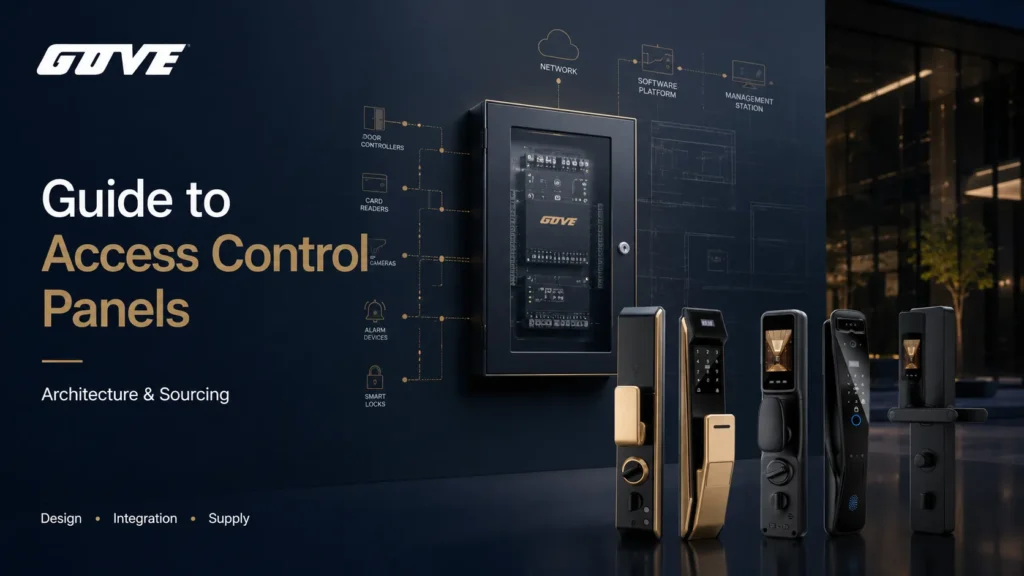
Most access control panel failures happen before installation — they’re baked into the procurement phase when specifications don’t match operational reality. We’ve watched enterprises buy boards that can’t survive a WAN outage, can’t stop a credential-cloning attack, or can’t be migrated to new software without a forklift replacement. The core of the problem is treating the panel as a commodity. It’s the decision-making spine of the entire physical security stack. The access control panels — the door controllers and sub-panels — lock in your architecture, your protocol security, and your scalability ceiling for years.
Get the panel choice wrong, and you’re buying a latent deployment risk that will surface every time a door fails over to local decision-making, every time a vendor stops updating firmware, and every time your organization expands to a new facility. In this guide, we’ll walk through the architecture, protocols, power, compliance, and sourcing logic our engineering team uses when evaluating access control hardware for multi-door enterprise environments. No theory. Just the decisions that affect your uptime and your budget.
How Access Control Panels Function as the Intelligence Hub of Physical Security
An access control panel is not a passive wiring hub; it is the physical processor that stores the access decision database, authenticates credentials, and executes lock commands independently of the cloud. When architecting a system, the central question is whether you’ll place that intelligence in a centralized multicontroller in the IT closet or distribute it to the door edge. Both architectures have distinct failure domains, wiring costs, and upgrade paths.
Centralized Multi-Door Control Panels
A traditional centralized panel lives in a secure telecom room, connecting to door readers, request-to-exit sensors, and lock relays through dedicated home-run wiring. Each board typically supports 2, 4, or 8 doors and contains a processor, flash memory for the access database, supervised inputs for door sensors, and dry contact relay outputs for lock control. The big engineering advantage is that backup batteries and power supplies are consolidated in one tamper-protected enclosure — a clean, serviceable layout. The trade-off is the cost and complexity of pulling low-voltage cable from every door back to that closet, which multiplies quickly across large facilities.
Intelligent Edge Door Controllers
Edge controllers mount directly above the door and make access decisions locally, connecting back to the management software over IP. This architecture decouples each door’s logic from a central board, so a failure at one door doesn’t cascade. However, edge controllers demand careful attention to PoE power budgets and physical tamper protection at each opening. We often see integrators recommend edge IP-based controllers for distributed sites where home-run wiring is impractical, but we consider the security trade-offs of placing the “brain” outside the secure closet. If the door environment isn’t hardened, a physical attack on the edge board can bypass the lock relay entirely.
Local storage of access decision matrices is the non-negotiable requirement. No matter the architecture, the panel must hold a full copy of the access rules so that doors continue functioning during WAN outages. If a board only caches a fraction of credentials or defers every decision to a cloud server, a simple network hiccup becomes a building lockdown. For mission-critical doors, we validate that the offline door database supports at least 10,000 cardholders and can process a card read in under 300ms without a server call.
Open Architecture vs. Proprietary Access Control Boards
Decision rule: A commercial buyer should prioritize open-architecture controller hardware, such as Mercury-based platforms, unless the deployment is a single-door, standalone kiosk that will never be integrated into a larger system. Open architecture decouples the hardware lifecycle from the software vendor, preventing forced hardware rip-and-replace when software needs to change.
The Case for Mercury-Based Open Hardware Platforms
“Authentic Mercury OEM” hardware means the physical printed circuit board is manufactured under license from Mercury Security, while different software vendors — LenelS2, Avigilon, Genetec, and others — write their own firmware to run on the same silicon. The board’s inputs, outputs, and processor are identical across platforms; only the firmware personality changes. This hardware-software separation allows a facility to switch from one head-end platform to another without touching the panels, the readers, or the wiring. For multi-site corporate campuses, that’s not just a cost-saving measure — it’s a procurement mandate. We tell buyers to check the Mercury serial number prefix on the board and verify cross-compatibility on the Mercury partner list before approving a bill of materials.
Evaluating the Risks of Proprietary Vendor Lock-In
Proprietary boards tie the hardware authentication handshake to a single vendor’s software. When that vendor ends the product line, raises licensing costs, or fails a security audit, the entire panel layer becomes a stranded asset. We’ve seen facilities forced to replace functioning boards simply because the proprietary communication protocol between the panel and the management software cannot be emulated. The only circumstances where we accept proprietary controllers are highly specialized standalone installations — a biometric turnstile in a sensitive lab, for example — where the hardware and software are tightly engineered as a single certified unit. For everything else, especially enterprise access control solutions spanning multiple locations, open architecture is the safer baseline.
Reader-to-Panel Communication Protocols: Transitioning to OSDP
For secure environments, legacy Wiegand protocol wiring should be replaced with OSDP (Open Supervised Device Protocol) v2, which uses AES-128 encryption to prevent physical line-tapping and credential sniffing. If your panels only support Wiegand, you’re accepting a known surveillance vector at every reader cable run.
Phasing Out Legacy Wiegand Protocol Vulnerabilities
Wiegand is a one-way, unencrypted protocol that transmits credential bits in the clear over a simple two-wire data bus. A pocket-sized cloning tool can intercept the binary stream at any accessible point along the cable — often within seconds — and replay it to gain entry. There’s no tamper detection, no supervision, and no bidirectional handshake. Wiegand’s clock-and-data signal also limits cable runs to roughly 500 feet, which complicates large facility layouts. We recommend treating any existing Wiegand infrastructure as a temporary compatibility layer while you phase in electronic access control systems that support OSDP natively.
Implementing OSDP (Open Supervised Device Protocol) for Secure Channels
OSDP runs over RS-485, a differential serial bus that supports cable runs up to 4,000 feet and daisy-chains multiple readers on a single twisted pair. More importantly, it establishes a bidirectional supervised channel: the panel constantly polls the reader for status, and any cable cut, short, or tamper attempt immediately triggers an alert. AES-128 encryption protects credential data in transit. When sourcing panels, we verify that the board’s firmware supports OSDP v2.1 or later as an SIA standard, not a proprietary implementation. The procurement difference is simple: a panel with a native RS-485 OSDP port doesn’t require a separate Wiegand-to-OSDP converter module at each door, which cuts hardware cost and removes a point of failure.
Power Supply and Enclosure Architecture for Multi-Door Controllers
Enterprise hardware deployments should use centralized, power-managed enclosures that integrate system boards, battery backups, and lock power modules into a single serviceable chassis. Underestimating lock inrush current or choosing the wrong relay type is the most common cause of intermittent door failures we see in the field.
Centralized Power Distribution and Trove Enclosures
A Trove enclosure or similar system from LifeSafety Power pre-engineers the mounting, wiring, and circuit protection so you’re not stacking loose power supplies behind a generic backplane. These enclosures typically hold the main controller board, expansion boards, power supply units (PSUs), backup batteries, and fuse-protected lock outputs in one lockable, tamper-monitored cabinet. For facilities with more than eight doors, this approach dramatically reduces troubleshooting time. We’ve seen maintenance teams spend hours tracing loose wire-nut connections in field-assembled cabinets, whereas a properly bused Trove-style layout makes adding an expansion board a 15-minute plug-and-insert task.
PoE vs. Local 12V/24V DC Board Powering
PoE access control delivers up to 90W under 802.3bt, which can power an edge controller and a low-draw electrified lockset, but it struggles with high-inrush magnetic locks or heavy-duty exit devices. Traditional centralized 12V or 24V DC distribution scales more predictably when you need to combine multiple locks, readers, and auxiliary outputs on a single supply rail. The power budget calculation works like this:
- Panel standby current, typically 300mA to 1A at 12V DC.
- Reader draw, usually 200mA to 500mA per reader.
- Lock inrush current, which can spike to 1.5A or more for maglocks, plus steady-state holding current.
- Battery capacity for at least 4 hours of standby under full load to meet most fire code requirements.
If the total load exceeds the PSU rating during the inrush spike, the voltage sags and the lock hesitates or stays engaged. We spec PSUs with a 25% overhead above calculated peak load as a standard practice.
Wiring Fail-Safe vs. Fail-Secure Lock Relays
The relay configuration directly affects life-safety compliance and must be coordinated with the fire alarm panel interface (FACP).
- Fail-safe (power to lock, typically magnetic locks): When the fire panel cuts power, the relay de-energizes, the lock releases, and occupants exit freely. Required for egress doors along evacuation routes.
- Fail-secure (power to unlock, typically electric strikes): When power drops, the door stays locked from the outside but remains mechanically free for egress. Used on perimeter doors where security must be maintained during a power outage.
The panel’s relay must be appropriate for the lock type: dry contact relays require an external power supply to drive the lock, while wet contact relays provide onboard voltage. Coordinating these before pulling cable avoids the expensive discovery that the lock relay can’t switch the load at the door.
Scalability Planning: Sizing and Deploying Panels Across Enterprise Facilities
Scale deployment efficiently by pairing a master controller that connects to the IP network with lower-cost downstream interface boards chained via RS-485. This architecture caps per-door incremental cost while maintaining a single IP node on the network, which simplifies VLAN segmentation and IT security review.
Sizing Master Panels vs. Sub-Panels and Expansion Boards
A typical master panel might handle 2 to 8 reader ports directly, but adding an expansion board extends door count without another IP drop. The engineering blueprint we recommend for medium-sized buildings: one Mercury EP2500 or equivalent as the IP-connected master, with two downstream MR52 expansion boards, providing 10 controlled doors on a single IP address. The expansion boards daisy-chain via RS-485 and share the master’s encrypted link to the head-end software. This keeps the BOM cost predictable and avoids flooding the access control VLAN with dozens of IP endpoints that each require a patch port, a UPS-backed switch port, and a separate IT firewall rule.
Hybrid IP-to-RS-485 Wiring Topologies
Many facilities we audit have a mix of newer IP-based edge hubs at high-traffic lobby doors and legacy RS-485 serial loops in administrative wings. There’s nothing wrong with a hybrid topology as long as the gateway between them handles protocol translation cleanly and the RS-485 segment is properly supervised. The primary trade-off is that a break in an RS-485 trunk can take down multiple doors, whereas an IP edge door fails independently. We recommend placing no more than four readers on a single RS-485 chain for fire/life-safety doors and running the RS-485 segment through conduit to protect against physical cuts. For commercial access control locks across multiple buildings, a hybrid model often yields the lowest total installed cost when existing serial wiring can be reused.
Cybersecurity and Compliance Standards for Access Control Hardware
Any deployed access control panel must bear UL 294 certification and support a dedicated fire alarm panel interface to automatically cut lock power during a life-safety event. Without UL 294 listing, the local AHJ can and will refuse to sign off on the security system during a building inspection.
Verifying UL 294 and Fire Alarm Integration Standards
UL 294 evaluates panels for access control performance, including destructive attack tests, endurance cycling, and standby power requirements. When we review a spec sheet, we look for the specific UL 294 performance levels: Attack Class Level I through IV, Endurance Level I through IV, and Standby Power Level I through IV. A panel rated for Attack Class I may not survive physical tampering attempts at a loading dock door. We tell procurement teams to request the UL certificate number and cross-check it in the UL Product iQ database before purchase. Equally critical is the FACP interface: the panel must have a dedicated input that, when triggered by the fire alarm control panel, overrides all lock relays and releases egress doors immediately. This is NFPA 101, non-negotiable.
NDAA Compliance and Hardware-Level Encryption
For federal and state-funded projects, NDAA compliance means the panel’s system-on-chip cannot be manufactured by certain prohibited entities. Even commercial buyers without a federal mandate increasingly use NDAA compliance as a supply-chain risk filter. We advise checking the panel manufacturer’s component traceability statement and verifying that the board includes an onboard cryptographic chip for secure boot. A panel that boots without verifying its own firmware signature is vulnerable to persistent low-level implants. What to verify:
- Secure boot capability and signed firmware updates from the manufacturer.
- Onboard TPM or secure element for cryptographic key storage.
- Manufacturer’s published firmware update cadence and end-of-life policy for the SoC.
Decision Matrix: Procurement Checklist and Technical Specifications
Use the matrix below to align access control panel specifications with your facility infrastructure before you request proposals from system integrators. A one-page comparison against your door count and lock types prevents the common mistake of receiving a quote for boards that can’t physically drive the locks you’ve already installed.
Hardware Specification Comparison Matrix
| Specification | What to Look For | Why It Matters | Buyer Should Verify |
|---|---|---|---|
| Doors supported per board | 2, 4, or 8 doors; expansion bus for adding sub-panels | Determines per-door cost and enclosure sizing | Check actual reader ports, not software license limits |
| Reader protocol | Native OSDP v2.1+ over RS-485, Wiegand fallback | OSDP encrypts credential data; Wiegand transmits in the clear | Request OSDP SIA certification number |
| Onboard encryption | AES-128 or AES-256, secure boot, tamper-protected key storage | Prevents firmware-level compromise and bus sniffing | Ask for FIPS 140-2 or 140-3 validation if applicable |
| Relay type | Dry contact (Form C) relays, configurable fail-safe/fail-secure | Matches lock power requirements and fire/life-safety setup | Confirm relay max current rating and surge capacity |
| Power input | 12V DC or 24V DC with dedicated lock power terminals | Centralized PSU sizing depends on voltage and lock load | Measure actual lock inrush current at installation voltage |
| Enclosure compatibility | Fits standard Trove or equivalent with tamper switch | Pre-engineered mounting reduces field wiring errors | Confirm board dimensions against enclosure cutout diagrams |
Note: Performance ratings and certifications listed are typical industry benchmarks. Buyers should request manufacturer test reports and UL certificates to confirm exact specifications for any board under evaluation.
Critical Sourcing Pitfalls to Avoid
Three mistakes keep appearing in post-installation audits, and they’re entirely avoidable during procurement:
- Purchasing locked proprietary boards. If the panel firmware cannot be loaded by an alternative software vendor, you’re buying a single-source dependency. Unless the installation is a standalone kiosk with no future integration path, mandate open architecture.
- Ignoring local lock power draw during PSU sizing. A power supply that looks adequate on paper for the board and readers may fail under lock inrush load. Key card access systems that blend different lock types across a single panel are especially vulnerable to this miscalculation.
- Failing to verify UL 294 listing. Panels sold as “designed to UL 294” are not the same as listed. If the UL file number isn’t on the spec sheet, get it in writing before signing the purchase order.
Architecting Your Enterprise Access Control Infrastructure
Selecting the right panel architecture requires aligning physical door counts, existing wiring configurations, and IT security protocols into a cohesive deployment layout. We recommend gathering specific data points before you sit down with an integrator or internal engineering team.
Prepare a baseline survey that includes total door count, lock types per door, inrush current for each lock, distance from the door reader to the nearest wiring closet, availability of network drops at each door position, and whether you’re transitioning from a legacy Wiegand system. For smart locks for business deployments that combine traditional panels with wireless locksets, plan the bridge-to-panel interface early so you’re not retrofitting power injectors later. If you’re managing a multi-building campus, we also suggest segmenting the access control hardware onto a dedicated, firewalled VLAN separate from corporate data traffic — that single decision reduces the attack surface and simplifies QoS for real-time door state monitoring.
Our team regularly works with facility directors who need to balance immediate door coverage with long-term hardware independence. If you’re specifying panels for federal or regulated environments, coordinate the NDAA documentation and UL 294 submittals early; these drive lead times and can derail a project schedule. When you’re ready to move from specification to sourcing, having a clear panel matrix and power budget pre-calculated will accelerate quote accuracy and keep you in control of the hardware lifecycle.
Frequently Asked Questions
Can I reuse existing access control panels when switching software providers?
Only if the existing boards are built on an open, non-proprietary platform such as Mercury EP or LP series. Fully proprietary panels typically require a complete replacement.
What is the difference between an access control panel and an access control reader?
The reader scans credentials and transmits raw data; the panel verifies the access rules database, determines permissions, and physically triggers the lock relay. The reader is the credential scanner; the panel is the decision-maker.
Why do I need a separate enclosure like a Trove panel?
Specialized enclosures organize complex wiring, host battery backups, integrate power supplies, protect boards from physical tampering, and make maintenance and troubleshooting far simpler than a wall-mounted open chassis.
How does PoE access control differ from traditional centralized power?
PoE edge controllers draw network power over RJ45 to run low-draw locks and readers at the door, while traditional setups centralize power supplies in a secure room and run separate lock power wiring. PoE simplifies cabling but can’t always deliver the inrush current heavy-duty locks require.
What is a supervised input on an access control panel?
Supervised inputs use end-of-line resistors to detect not just open or closed door states, but also wiring faults, cuts, and short circuits, preventing malicious tampering with door sensors — a critical layer of physical security for access control panels in high-security facilities.



