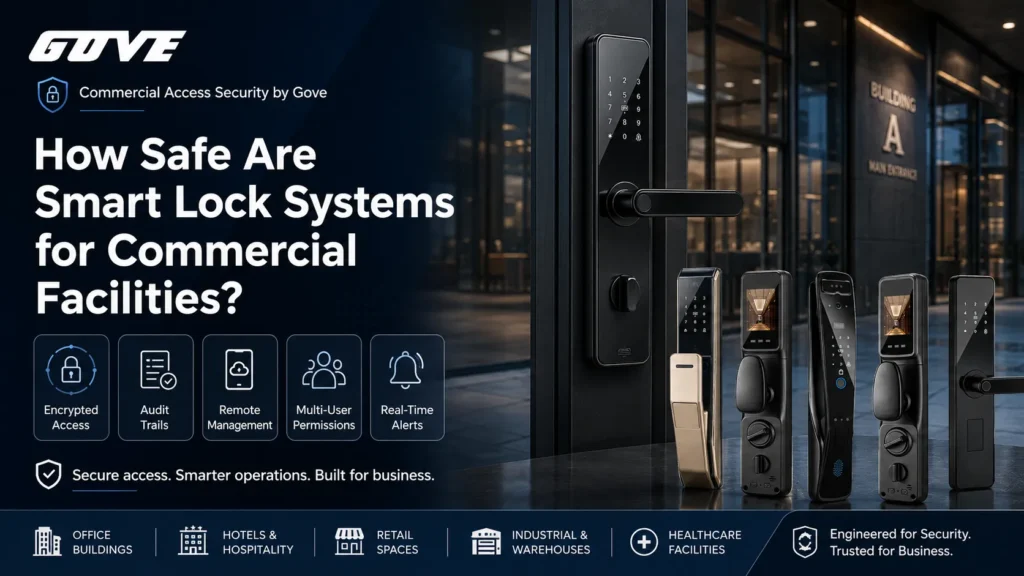
We replaced the access system for a 300-unit high-rise last year after a single master key went missing. That risk—physical key control—is what makes how safe are smart lock systems a boardroom issue, not a gadget discussion. A properly spec’d commercial smart lock isn’t just harder to pick; it deletes the master key entirely and logs every entry. But safety hinges on the deadbolt’s ANSI grade as much as the encryption chip inside. If you’re buying locks that’ll cycle 200,000 times, you need hardware that matches the digital threat model.
Physical Security vs. Smart Capabilities: The Baseline of Smart Lock Safety
Any electronic lock’s digital defenses are moot if the mortise or cylindrical chassis fails under a shoulder-check. In commercial settings, we start with the physical attack surface: deadbolt throw length, strike reinforcement, and cycle durability. The electronic side adds convenience, but if the lock can’t survive a 100-foot-pound torque attack, it’s not safe. That’s why we insist buyers look for ANSI/BHMA Grade 1 certification on perimeter and high-traffic doors. When sourcing high security smart locks, look beyond the electronics—verify the physical grade before trusting the digital layer.
Understanding BHMA and ANSI Grading for Commercial Hardware
ANSI/BHMA grades define exactly how many cycles a lock withstands, how much force it tolerates, and what kind of door it fits. Grade 1 is built for heavy-duty commercial use; Grade 2 serves moderate traffic; Grade 3 is residential only. We never deploy Grade 3 on any door that sees more than a few operations a day.
| Grade | Cycle Rating | Minimum Bolt Strength | Typical Application | Forced Entry Resistance |
|---|---|---|---|---|
| ANSI Grade 1 | 800,000 – 1,000,000+ | 75 lbf | High-traffic commercial, multi‑tenant perimeter | Highest, with reinforced strike and long throw bolt |
| ANSI Grade 2 | 400,000 – 800,000 | 50 lbf | Interior office, medium‑use entry | Moderate, adequate for interior and controlled exterior |
| ANSI Grade 3 | 200,000 | 40 lbf | Residential only | Minimal, not designed for sustained attack |
Note: Cycle and force values are per ANSI/BHMA A156 standards; always confirm the exact test parameters with the manufacturer.
For any facility with 50+ doors, we recommend ANSI Grade 1 locks on every exterior opening and on interior common area doors that see heavy foot traffic. The price difference between Grade 2 and Grade 1 is trivial compared to the cost of premature failure or a forced-entry incident.
Physical Tampering, Lock Picking, and Forced Entry Protections
Smart locks inherently reduce the physical attack surface. Many commercial electronic locks minimize or eliminate exposed keyways, removing the mechanical cylinder that bump keys and pick tools exploit. Instead, access comes through encrypted mobile credentials, PIN codes, or RFID fobs. Even when a mechanical override exists, it’s often a high-security cylinder tucked behind a hardened escutcheon.
We still evaluate the entire door assembly—strike plate, mounting screws, and door frame reinforcement. A Grade 1 smart lock mounted on a hollow-core door with short screws is a false sense of security. Procurement should specify door edge preparation and frame reinforcement alongside the lock hardware itself. For a deeper look at materials that resist physical attacks, our guide on smart lock hardware quality breaks down how alloy choices affect brute-force survival.
Cyber Security and Network Architecture: Protecting Against Digital Intrusion
Physical strength is only half the equation. When we talk about how safe are smart lock deployments, the digital attack surface is what keeps IT directors awake. The lock becomes a network endpoint. If a credential is intercepted or the lock’s firmware is compromised, the strongest steel deadbolt is irrelevant.
Enterprise-Grade Encryption: AES-256 vs. Consumer-Grade Standards
Consumer locks sometimes use weaker encryption or no encryption at all on the short-range radio link. Enterprise access control demands AES-256 encryption end-to-end—from the mobile credential to the lock’s secure element. AES-256 is the same standard used by financial institutions. In practice, it means even if an attacker captures the wireless signal, the encrypted payload can’t be decrypted within any useful timeframe.
Procurement teams should verify that the encryption isn’t just on the cloud API but also on the local BLE or NFC channel. We also look for tamper-resistant secure elements on the lock’s PCB that store keys and firmware. For a broader framework, our guide on enterprise IoT security details how to map lock-level encryption to your overall network perimeter.
Mitigating Replay and Relay Attacks on Commercial Protocols
Replay attacks—where an attacker captures a valid unlock signal and retransmits it—are a real threat on poorly designed systems. Commercial smart locks counter this with rolling codes, time‑bound tokens, and mutual authentication. A relay attack, where a thief extends the BLE range from a phone left near the door, is blunted by requiring user presence confirmation (e.g., a tap-to-unlock gesture) or geofencing parameters.
When evaluating a lock, ask how it handles anti-replay. Does the credential exchange include a nonce or timestamp? Is the unlock command one-time-use only? These questions separate enterprise‑grade firmware from consumer novelty.
Comparing Network Infrastructures: Wi-Fi, BLE, Zigbee, and Z-Wave
| Protocol | Security Profile | Power Efficiency | Best Commercial Fit |
|---|---|---|---|
| Wi‑Fi (direct) | Strong encryption possible but high broadcast surface; each lock is a LAN IP. | High drain; battery changes frequent. | Low‑count doors with dedicated gateway and IT control. |
| BLE 5.0+ | Encrypted link with phone; short range reduces remote attacks. | Very high efficiency. | Multi‑unit residential, where residents unlock via phone. |
| Zigbee / Z‑Wave | Mesh encrypted; limited adoption of latest security revisions. | Excellent for battery locks. | Smart home integrations; less common in enterprise without a hub. |
| Ethernet‑wired | Full isolation possible; no over‑the‑air sniffing. | Not applicable (wired power). | High‑security commercial perimeters. |
Security profiles assume latest protocol revisions; always validate that the specific implementation uses current encryption standards.
For most multi‑family deployments, we lean toward a BLE‑first architecture with a local gateway that bridges to the PMS server over TLS. This keeps the lock’s radio quiet and battery‑friendly while avoiding every lock sitting on the corporate VLAN. For Bluetooth smart lock evaluation, look for hardware that supports secure OTA firmware updates and certificate‑based pairing.
Operational Fail-Safes: Managing Power Outages and Network Downtime
Real safety means the lock stays locked and accessible to authorized staff even when the building loses internet or power. A cloud‑dependent lock that bricks during an outage creates a bigger liability than any lost key.
Commercial Battery Lifespans and Fleet Management Scheduling
Unlike a residential lock that cycles 10 times a day, a lobby door on a 200‑unit property might see 500+ cycles daily. Battery chemistry, cold weather, and wireless chipset draw all degrade lifespan. We spec locks with a rated battery life of 12‑18 months under 500 daily cycles, then build a fleet management schedule that replaces batteries at 60% of that rated life. A centralized dashboard that alerts on low voltage per lock allows maintenance to batch replacements into quarterly walkthroughs. Our smart lock battery life guide details how to right‑size battery maintenance for large properties.
Offline Cache and Localized Credential Validation
Enterprise smart locks store a local authorized user list in non‑volatile memory. When the gateway or cloud is unreachable, the lock continues to validate PINs, fobs, or cached mobile tokens directly. Once connectivity returns, logs sync. This offline capability is non‑negotiable. We also require a mechanical key override that is accessible only to designated emergency personnel and is itself logged when used. That way, the lock never becomes a brick.
Centralized Access Management: The Safety Advantage Over Traditional Keys
Most building security breaches aren’t digital; they’re due to lost, copied, or never‑returned physical keys. Smart locks fundamentally change that risk equation.
Eliminating Physical Master Key Risk via Centralized Credential Revocation
Losing a master key in a 500‑unit property can cost $40,000 or more to rekey every lock. With a centralized credential revocation system, you disable a single lost fob or phone credential in seconds from a web dashboard. That’s immediate, auditable, and costs nothing beyond administrator time. We’ve seen properties cut rekeying budgets by 90% after switching to smart access.
Audit Trails, Access Logs, and Automated Security Monitoring
Every unlock event—successful, denied, or mechanical override—generates a time‑stamped entry with the credential ID. This audit trail transforms security from reactive to proactive. Facility managers can spot unusual patterns (like a cleaning staff member entering a vacant unit repeatedly at 2 a.m.) and trigger alerts. In insurance and liability disputes, these logs provide a level of proof that mechanical systems simply can’t match. It changes the answer to how safe are smart lock systems from “probably safe” to “provably safe.” This level of visibility is why multifamily smart locks have become standard in new Class A construction.
Enterprise Procurement: How to Evaluate Smart Lock Vendors
Not all “commercial” locks are built for enterprise. The procurement checklist goes beyond the lock itself into the ecosystem that manages it.
Integration Capabilities with Property Management Systems (PMS) and APIs
A smart lock silo creates data gaps. We push for locks that offer a well‑documented RESTful API and PMS integration. This lets the property management platform automatically issue a unit access code when a resident moves in and revoke it on move‑out, without human intervention at each door. Look for APIs that support webhooks for real‑time event streaming, not just batch pulls. The ability to integrate with HVAC and lighting systems through the same API reduces the number of dashboards your operations team juggles.
Software Security Certifications and Data Privacy Compliance
The lock’s firmware is one target; the cloud platform holding all user data is a bigger one. We advise buyers to require the lock vendor’s cloud services to carry an independently audited certification such as SOC 2 Type II or ISO 27001. These are not silver bullets, but they prove a baseline of security practices. Additionally, verify that the platform’s data retention policies align with your jurisdiction’s privacy regulations—especially if facial images or biometric templates are stored, as with some face recognition locks.
When narrowing vendor choices, break down the options using a practical procurement framework:
- Total door count and whether they’re interior or exterior.
- Lock hardware grade (ANSI/BHMA) required per door type.
- Existing building network topology and firewall zones.
- PMS or access control software already in place.
- Maintenance team bandwidth for battery changes and firmware updates.
- Long‑term scalability: adding a new building shouldn’t require a separate server.
Our commercial smart locks comparison helps match these criteria with current hardware that can scale with your portfolio.
Choosing the Right Access Control: Next Steps for Your Facility
Before issuing an RFP, conduct a facility access audit. Walk every door. Note frame condition, existing cutouts, and whether the door is fire‑rated or part of an egress path. Gather network diagrams for each IDF closet that will host gateways. Only then can you write a specification that ties the lock’s physical and digital safety together.
If you’re mapping out a multi‑building deployment, involve your IT security team early. They’ll want to segment lock traffic onto a dedicated VLAN and set up certificate‑based mutual TLS between gateways and the cloud. Procurement should plan for a pilot installation on 5–10 representative doors before a full rollout.
Ready to spec a system where the locks are as tough as the encryption? Reach out to our integration engineers with your door matrix and connectivity requirements. We’ll help you map the right hardware to your real‑world safety priorities.
Frequently Asked Questions
Can commercial smart locks be hacked?
Any connected device carries theoretical risk, but enterprise smart locks with AES-256 encryption and secure elements make digital intrusion far less practical than traditional lock picking or key theft.
Do smart locks void commercial property insurance?
High-quality smart locks with proper ANSI/BHMA certifications typically do not void policies; their audit trail capabilities can help lower liability premiums, though buyers should verify with their specific underwriters.
What happens to commercial smart locks during a power outage?
Commercial electronic locks retain battery backup and often include mechanical key overrides; local credential caches keep doors securely locked and accessible to authorized staff even when networks or power fail.
Are smart locks safer than traditional physical master key systems?
Yes, because they eliminate the risk of lost master keys that require expensive rekeying, and they provide real-time audit logs showing who entered which room and when.
How do facilities managers handle battery replacements across hundreds of units?
Enterprise dashboards send low-battery alerts per lock, letting maintenance teams schedule batch replacements into routine preventive maintenance rounds before any lock fails.